Best AI Platforms
The engines behind the AI boom.
The best AI platforms — software built around artificial intelligence for building, deploying, and using AI across chat, image, video, and automation.
- 551
 0
0We built www.infinitetalk.net to make AI voice conversations more realistic and accessible. With InfiniteTalk AI, you can: •Generate lifelike dialogues with natural intonation •Support multiple languages and voices •Create dynamic, responsive conversations for storytelling, learning, or entertainment Our goal is to help creators, educators, and innovators unlock new possibilities with AI-powered dialogue. We’d love to hear your thoughts — try InfiniteTalk AI today and share your feedback!
- 552
 0
0Generate AI Explainer Videos at the Speed of Thought! Minis AI is your one stop solution for generating AI Explainer Videos. Just type the topic and Minis will do the rest. If you need customization, an intuitive built-in video editor is also there. Tune in for early access https://minisai.solvor.co.in #minis #intro #minisai #aivideo #ai #aishorts #petergriffin #stewiegriffin #rickandmorty #familyguy
- 553
 0
0Pluggo is a comprehensive social intelligence platform that monitors and analyzes conversations across Reddit, Twitter/X, Hacker News, Facebook, and other online communities in real-time. The platform uses AI to identify buying intent, sentiment, and trends from millions of posts, helping businesses discover leads, validate ideas, track competitors, and spot emerging opportunities. With features like smart community search, automated alerts, and one-click reply suggestions, Pluggo reduces manual social listening time by 85% while delivering actionable insights that drive growth. The platform integrates seamlessly with existing workflows through Slack making it the essential noise-filter for businesses looking to turn public conversations into competitive advantages.
- 554
 0
0RFP software and RFP platform for UK teams. AI-powered bid writing, tender discovery, and proposal management to win more contracts. Our RFP platform is revolutionizing how UK businesses respond to tenders. From automated tender discovery to AI-powered bid writing, we're the complete RFP management platform that helps you win more contracts.
- 555
 0
0Hailuo 3.0 is a professional cinematic AI video generation model designed for high-quality content creation. It supports two core functions: text-to-video and image-to-video. The model can output native 4K resolution and 60fps high-frame-rate videos, delivering sharp, smooth, and stable footage. Users can generate complete video clips ranging from 15 to 30 seconds in one go. It is equipped with professional camera control, Motion Brush for precise local motion adjustment, and character consistency locking to maintain visual stability and reduce errors. The built-in audio-video synchronization and accurate lip-sync greatly lower post-production costs. Hailuo 3.0 is widely used in advertising clips, film storyboards, short videos, animation demos, and creative content production. With outstanding image quality, strong controllability, and high practicality, it provides professional-level AI video solutions for short video creators, designers, advertising practitioners, and film and video professionals.
- 556
 0
0Create ultra-realistic AI UGC video ads in under 2 minutes. Test 10× more hooks for 90% less. UnrealUGC generates ultra-realistic AI creator videos in under 2 minutes. Test 10× more hooks for 90% less than traditional UGC—no actors, no shoots, no long-term contracts. Create authentic talking-head ads across any product category, then iterate fast on what converts. Connect any AI agent or run it straight from Claude, ChatGPT, and other tools via MCP. Ship in 2 minutes, cancel anytime.
- 557
 0
0AI-generated LinkedIn content is terrible. It's generic, cringe, and obvious. But you can't spend 2 hours per post when you have 38 other things on your todo list. Ziplined upgrades ChatGPT/Claude into a LinkedIn expert trained on YOUR voice, YOUR performance data, and 10,000+ posts that got founders actual clients. What you get: - Weekly digests of YOUR performance (what's working, what's dying) - Voice training from your posts + docs (sounds like you, your insights/stories) - 10,000+ proven post formats (real results, not guru templates) - Smart scheduling (finds your next slot, reminds you to publish) - Plain-English insights from your actual data Results: 355 founders in alpha went from 2 hours per post to 5 minutes while actually enjoying it. $19/mo for founding members (locked in forever). Free waitlist until Feb 9th launch. Stop posting AI slop. Start sounding like yourself.
- 558
 0
0Nano banana pro transforms photographs into artistic styles using only 2.1GB GPU memory - 38% less than competing models. Gemini 3.0 Pro's multimodal understanding preserves subject integrity while applying complex artistic transformations. Generate 4K artistic renditions in 10-30 seconds with consistent quality across batch processing. SynthID watermarked content creation with nano banana pro SynthID-Protected Content Creation Every nano banana pro output includes Google's SynthID watermarking for responsible AI usage tracking. The system processes complex editing requests while maintaining content authenticity markers. Enterprise users benefit from built-in provenance tracking and content moderation capabilities integrated with Google's safety infrastructure. Google Workspace integrated product visualization with nano banana pro Workspace-Integrated Product Visualization Generate product catalog imagery directly within Google Workspace applications. Nano banana pro's Vertex AI integration enables batch processing of product variations with consistent lighting and composition. Scale from single product shots to complete catalog generation with 23% faster processing for high-resolution outputs.
- 559
 0
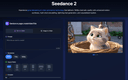
0Experience groundbreaking AI video generation technology that delivers 1080p cinematic quality with advanced motion synthesis, multi-shot storytelling, lightning-fast generation, and unparalleled realism. From marketing campaigns to artistic expression, Seedance 2 empowers creators across industries to bring their visions to life with AI-powered video generation.
- 560
 0
0Design0 is an AI-powered design tool that turns text into images, provides smart image editing, and has a built-in asset library. It simplifies complex workflows, helping you bring your creative ideas to life with ease.Design0 is an AI-powered design tool that turns text into images, provides smart image editing, and has a built-in asset library. It simplifies complex workflows, helping you bring your creative ideas to life with ease.
- 561
 0
0URL to Design.md: Generate AI-ready DESIGN.md briefs from public webpages URL to Design.md helps AI-assisted frontend builders turn a public website URL into a structured Markdown design context package. Instead of asking Codex, Claude Code, Cursor, Lovable, v0, Bolt, or Replit to follow a vague screenshot prompt, paste a public page and get a DESIGN.md that describes visual direction, layout hierarchy, colors, typography, spacing, components, interaction notes, evidence labels, and agent handoff prompts. One URL, Agent-Ready Design Context 1. Public URL to DESIGN.md — Extract visible structure, CTA hierarchy, visual signals, and page patterns into a reusable Markdown brief. 2. Design Tokens and Components — Summarize colors, type scale, spacing, radius, shadows, buttons, cards, forms, navigation, hero blocks, and footer patterns. 3. Evidence Labels — Mark conclusions as detected, inferred, or needs review so builders know what came from page evidence and what requires judgment. 4. Agent Handoff Prompts — Copy prompts for Codex, Claude Code, Cursor, Lovable, v0, and generic AI coding workflows. 5. Responsible Boundaries — Works with public webpages only and focuses on design context, not private pages, proprietary asset copying, editable Figma layers, or pixel-perfect cloning.
- 562
 0
0Droidal Insurance Verification AI Agent
insurance verification platform·healthcare automation platformDroidal is a healthcare automation company focused on transforming insurance verification and eligibility checking through advanced AI-powered agents. The platform is designed to help healthcare providers, clinics, hospitals, and medical organizations eliminate manual insurance verification work, reduce claim denials, and improve operational efficiency before patient care even begins. By automating repetitive administrative tasks, Droidal helps healthcare teams spend less time dealing with insurance issues and more time focusing on patient care. At the core of the platform is Droidal’s Insurance Verification AI Agent, an intelligent system that automatically verifies insurance coverage in real time. The AI agent connects directly with electronic health records (EHRs), payer portals, billing systems, and insurance provider databases to retrieve and validate patient insurance information. Instead of relying on staff members to manually call insurance companies or log into multiple portals, the AI performs eligibility checks instantly and continuously updates coverage details directly into healthcare systems. The platform emphasizes accuracy and speed as its primary advantages. Droidal claims to achieve up to 98% accuracy in coverage validation while operating up to twenty times faster than traditional insurance verification teams. The AI agent can verify patient eligibility, coverage limits, deductibles, co-pays, and policy statuses before appointments occur. This helps healthcare providers reduce costly billing mistakes, avoid eligibility-related claim denials, and improve overall revenue cycle management. One of Droidal’s most valuable features is its ability to maintain synchronized insurance data across multiple providers and systems. Insurance information often changes frequently, and outdated coverage details can lead to denied claims or unexpected patient billing problems. Droidal’s AI continuously monitors payer portals and eligibility statuses to ensure healthcare organizations always have updated and accurate insurance information stored inside their EHR systems. The platform also includes intelligent error detection and fraud prevention capabilities. The AI agent can identify issues such as expired insurance coverage, incorrect policy numbers, duplicate claims, mismatched patient information, or suspicious activity patterns. By catching these issues early, healthcare organizations can resolve problems before services are delivered or claims are submitted, reducing delays and financial losses. Another major benefit of Droidal is its multi-payer compatibility. The AI agent is designed to work with all major insurance providers and can adapt to different payer systems, portal formats, plan structures, and verification rules. This flexibility allows healthcare providers to manage insurance verification processes across a wide range of insurance companies without needing separate workflows or systems for each payer. Droidal also improves communication and operational visibility through real-time notifications and analytics. Staff members receive alerts about policy expirations, pending approvals, coverage changes, and uncovered services. Patients can also be informed ahead of time about potential out-of-pocket expenses, helping improve transparency and patient satisfaction. Additionally, the platform provides healthcare teams with real-time insights and predictive analytics that can help optimize workflows and improve operational decision-making. The company positions its AI agents as “digital super-employees” that learn workflows directly from human teams. During onboarding, staff members share and demonstrate their existing processes, allowing Droidal to document workflows and train the AI to replicate those tasks accurately. This allows the platform to adapt to different healthcare organizations without forcing major workflow disruptions or requiring significant technical expertise. Security and compliance are also heavily emphasized throughout the platform. Droidal highlights secure cloud infrastructure, encrypted patient data handling, audit trails, and healthcare-grade security practices to ensure patient information remains protected throughout the verification process. Overall, Droidal is an advanced healthcare automation platform that uses AI agents to modernize insurance verification, eligibility checks, and administrative workflows. By combining real-time verification, intelligent automation, fraud detection, analytics, and seamless healthcare system integration, Droidal helps healthcare providers reduce operational costs, improve patient experiences, minimize claim denials, and streamline one of the most time-consuming administrative areas in healthcare.
- 563
 0
0XreplyAI is a modern growth tool built for creators, founders, and professionals who want to expand their presence on X without sacrificing authenticity or burning out. Designed around a simple but powerful insight—engagement drives growth—it helps users reply to more people, more consistently, while still sounding genuinely human. At its core, XreplyAI solves a common problem: replying at scale is time-consuming. Many users manage to respond to only 10 posts per day, while top founders often reply to 100 or more. That difference compounds quickly. More replies mean more visibility, more profile visits, more conversations, and ultimately more relationships. XreplyAI bridges that gap by allowing users to increase their reply volume up to 10x, turning 300 monthly touchpoints into 3,000. Unlike generic AI tools that produce robotic, predictable responses, XreplyAI focuses on voice authenticity. It integrates directly into Chrome and analyzes a user’s past tweets to learn tone, humor, vocabulary, and stylistic nuances. The result is AI-generated replies that feel personal and aligned with the user’s established online identity. Instead of sounding like a template, responses reflect the individual behind the account—preserving trust and credibility. The workflow is intentionally simple. After installing the Chrome extension and training the voice profile (a process that takes about five minutes), users can click on any post on X, generate a suggested reply in seconds, review it, and publish. Each response takes roughly five seconds to produce, making high-volume engagement sustainable. The tool works across the platform, including the home feed, profiles, and notifications, ensuring users never miss opportunities to connect. A standout feature of XreplyAI is its BYOK (Bring Your Own Key) model. Rather than bundling AI usage into a single opaque subscription, users connect their own API key from providers such as Gemini, ChatGPT, or Claude. This approach offers full cost transparency and flexibility. Users typically pay a small monthly fee for the extension and voice-matching features, while AI usage costs—often just a few dollars per month—are paid directly to the provider. There are no hidden markups, no usage caps, and no vendor lock-in. If a better model becomes available, users can switch instantly. The pricing structure reinforces accessibility. With both monthly and yearly plans, and a three-day free trial, users can test the system risk-free. The yearly plan reduces the effective monthly cost even further, making it significantly more affordable than traditional social media management tools, many of which charge $20 to $249 per month. Founded by John, a creator who personally experienced the burnout of replying manually to grow an audience, XreplyAI is built from lived experience. After struggling with generic AI replies that damaged credibility, he created a tool that prioritizes authenticity and efficiency. The mission is clear: empower users to reply to everyone, maintain consistent engagement, and grow their network 10x faster—without losing their voice in the process. In a digital environment where consistency compounds and conversations build opportunity, XreplyAI positions itself as a practical, transparent, and creator-first solution for sustainable growth on X.
- 564
 0
0NovaVoice is Your Voice OS that lets you work at the speed of thought. Typing is slow. Switching apps breaks focus. Formatting wastes time. Speak at 200+ wpm, get context-aware text. Hit hotkey, ask anything without googling. Execute actions without switching apps (just with voice commands). NovaVoice remembers contacts, addresses, links. NovaVoice writes, answers, and acts across your desktop.
- 565
 0
0Didoo AI transforms your link into high-performing Meta ads, targeting profitable buyers and optimizing around the clock. Unlock top-tier ad performance with a free 7-day trial. Core Benefits: • Meta ROI, Maxed: AI finds your highest-ROI micro-audiences, shifts budget to winners in real time, and cuts waste—10× ROAS, 6× less spend, on autopilot. • Paste url, Campaigns Live: Paste URL → Meta campaigns, live in 1 min. Zero forms, zero design apps—just link, click, traffic. • Winning Angles, Smart Ad Creatives: Auto-spots the hooks that convert, rewrites them in your voice, and pushes ready-to-run reels, carousels, headlines—launch in one click. • 24/7 Auto-optimization: AI never sleeps: kills losers in 1 hour, refreshes creatives before CTR dips, and emails you a weekly profit recap—wake up to higher ROAS daily. At Didoo AI, we're revolutionizing digital advertising for SMBs worldwide. We believe every business deserves agency-level marketing without agency-level costs or complexity. Our mission is to democratize Meta advertising by putting enterprise-grade AI technology in the hands of local shops, online services, and growing entrepreneurs. Founded with the vision of making sophisticated advertising accessible, Didoo AI combines cutting-edge artificial intelligence with deep marketing expertise. We're not just another ad tool—we're your AI marketing partner that works 24/7 to bring customers to your door while you focus on what you love: running your business.
- 566
 0
0UnAIMyText.io provides a technical solution for refining and "humanizing" text produced by large language models. The primary function of the platform is to bridge the gap between the efficiency of AI-generated drafts and the emotional resonance of human authorship. By addressing the "robotic" and often repetitive patterns common in machine outputs, the tool assists creators, students, and businesses in producing more natural and relatable written content. The underlying process involves sophisticated restructuring of sentences, word choice diversification, and tone adjustments. Unlike standard paraphrasers that merely swap synonyms, this platform focuses on the structural and rhythmic nuances of natural language. This includes removing invisible Unicode characters and formal symbols—such as specific em-dashes and quote styles—that often serve as technical signatures for AI detection tools. The interface is designed for immediate utility, allowing users to process up to 1,000 words per session without requiring registration or data storage. By offering three levels of humanization—Standard, Enhanced, and Aggressive—the tool provides flexibility based on the desired depth of rewriting. These capabilities address growing concerns regarding content engagement and digital trust in an era of automated writing. Ultimately, the platform serves as a specialized refinement layer in the content creation workflow, ensuring that the final output maintains the original meaning while achieving a more authentic, reader-friendly delivery that is less likely to be flagged by statistical detection software.
- 567
 0
0Free AI 3D Model Generator - MeshGPT Create stunning 3D models from text or images instantly with our free AI 3d model generator. Transform your ideas into production-ready 3D assets with MeshGPT. Use Cases: ● Game Development: Quickly generate characters, props, and environment models ● Animation: Turn concept sketches into fully textured 3D assets ● Virtual & Augmented Reality: Build immersive 3D experiences efficiently ● Product Design: Visualize concepts with accurate 3D models ● Education & Research: Simulate experiments or create 3D teaching resources
- 568
 0
0Hold Your Voice is an AI-powered writing tool designed to help creators, founders, and teams maintain a consistent and authentic writing style across all their content. In a digital world increasingly saturated with AI-generated text, the platform focuses on one core idea: preserving what makes your voice unique. Instead of generating generic content, it analyzes your writing and shows exactly where it starts to drift away from your natural tone, then helps you bring it back in a way that still feels like you. The platform is built around a simple but powerful workflow. First, users calibrate their voice by answering a few short questions and uploading two or three samples of their best writing. This creates a personalized voice profile that acts as a benchmark. Unlike traditional tools that rely on vague tone settings like “professional” or “friendly,” Hold Your Voice uses real examples of your own writing as the standard. This ensures that every analysis is grounded in how you actually communicate at your best. Once the profile is set, users can paste any type of content into the system—whether it’s a LinkedIn post, a newsletter, a product description, or a sales pitch. The platform’s core technology, known as the Signal Engine, evaluates the text against the user’s voice profile and assigns a score based on how closely it matches. More importantly, it provides sentence-level feedback, highlighting specific phrases or sections where the tone feels off. This precision allows users to understand not just that something is wrong, but exactly where and why it feels inconsistent. One of the most valuable features of Hold Your Voice is its one-click rewriting capability. For every sentence flagged as “off,” the tool suggests a revised version that aligns with the user’s established voice. This makes editing faster and more effective, especially for those working under tight deadlines. Instead of rewriting entire drafts multiple times, users can quickly refine their content while staying true to their style. The platform also includes tracking and improvement tools. Every piece of content analyzed is logged, allowing users to see patterns in their writing over time. For example, they might notice recurring issues like becoming too formal, overly generic, or drifting into AI-like phrasing. By identifying these patterns, Hold Your Voice helps users gradually strengthen their consistency and develop a sharper, more recognizable voice. Collaboration is another key aspect of the platform. Users can share drafts through public or private links, enabling others to read, comment, and provide feedback directly on specific sentences. This makes it easy for teams to work together without confusion, as comments are anchored to exact lines rather than general sections. Features like live editing presence, version control, and request-to-edit permissions ensure smooth teamwork without overwriting each other’s contributions. Hold Your Voice is especially relevant in today’s content landscape, where platforms like LinkedIn, Instagram, and search engines are increasingly filtering out content that feels artificially generated. The tool helps creators avoid sounding generic or robotic, which can negatively impact engagement and trust. By keeping writing human, distinct, and aligned with a personal or brand voice, users can stand out in a crowded digital environment. Overall, Hold Your Voice is not just another AI writing assistant—it’s a tool focused on protecting identity in writing. By combining voice analysis, intelligent rewriting, and long-term tracking, it empowers users to create content that remains consistent, authentic, and unmistakably their own, even as they scale their output.
- 569
 0
0Wire is a content operations CLI that replaces your entire SEO and publishing stack. Instead of paying for Ahrefs, Semrush, SurferSEO, WordPress Hosting, Yoast, and Grammarly separately, Wire handles keyword research, cannibalization detection, content optimization, static site generation, writing quality checks, and Google Search Console integration in one pipeline. Thin content, broken links, AI writing patterns, and title violations: Wire refuses to publish until problems are resolved. No warnings you can ignore. Give your AI agent the Wire bot protocol, and it operates your site autonomously: audits, rewrites, news integration, internal linking, and deployment. You configure it once. The agent handles the rest. Wire runs locally. Your content and search data never leave your machine. Output is static HTML, no database, no server, no attack surface. Free hosting via GitHub Pages. Managed service available for hands-off operation. Migrate from WordPress or MkDocs today.
- 570
 0
0LongCat Avatar transforms static images into expressive, talking videos using advanced audio-driven technology. Unlike traditional models, it ensures temporal consistency and precise lip-syncing even for long-duration clips. Perfect for creating virtual assistants, educational content, and digital storytelling without visual degradation.
- 571
 0
0Google's AI tools like NotebookLM and Gemini are incredible for generating content, but they automatically add watermarks to all outputs. NotebookLM adds a "NotebookLM" text watermark to every PDF page, while Gemini places watermarks on AI-generated images. These watermarks can look unprofessional when you need to share documents with clients, publish research papers, or use the content in presentations. **Our Solution:** Gemini Watermark Remover intelligently removes watermarks from both NotebookLM PDFs and Gemini-generated images while preserving the original quality. **Key Features:** 🔒 **Privacy First:** - Files are processed securely and deleted immediately after - No permanent storage of your documents - Secure encryption during upload and processing
- 572
 0
0Kaicalls is an AI-powered virtual receptionist for service businesses. Our intelligent voice agents answer unlimited calls simultaneously, qualify leads as Hot/Warm/Cold, send SMS follow-ups, and book appointments directly to your calendar. Built for law firms, HVAC contractors, medical offices, and real estate agents who can't afford to miss calls. Integrates with Salesforce, HubSpot, GoHighLevel, and 5,000+ apps via Zapier. Save 80-90% compared to hiring staff. Setup takes 5 minutes. No contracts.
- 573
 0
0🚀 Welcome to Project Genie! We built Project Genie to make 3D world creation as simple as writing a sentence. Just describe a scene (or upload an image), and instantly explore it as an interactive 3D world — no coding or modeling skills required. Whether you're prototyping a game, visualizing an idea, or just experimenting creatively, we’d love for you to try it out. If you find it interesting or useful, your upvote and feedback would mean a lot to us! 💙 Let us know what worlds you create!
- 574
 0
0GlowUp UI is a design tool that instantly generates beautiful UI redesign variants from any screenshot. Built for vibe coders, the growing wave of non-technical builders using AI tools like Lovable, Cursor, Bolt, and v0 to ship real products, GlowUp UI bridges the gap between functional and polished. Most vibe-coded projects work, but they don't look great. Generic templates, inconsistent spacing, default component styles. The UI tells users "this was built fast," not "this was built well." GlowUp UI fixes that in seconds. Upload a screenshot of any interface, and the tool generates multiple redesign variants with improved layout, typography, colour, and visual hierarchy. No design skills required. No Figma. No back-and-forth with AI prompts trying to describe what "better" looks like. The workflow is simple. Take a screenshot of the UI you want to improve, whether it's a landing page, dashboard, settings panel, or signup flow. Upload it to GlowUp UI, choose your preferred style direction, and hit generate. Within moments, you'll receive several distinct redesign options, each offering a different visual interpretation of your original layout. Pick the one that fits, grab the code, and drop it straight into your project. GlowUp UI is purpose-built for the tools vibe coders already use. The generated output is clean, component-based code ready to paste into Lovable, Cursor, Bolt, v0, or any modern frontend workflow. There's no context-switching, no design handoff, and no translation layer between what you see and what you ship. What you pick is what you get. Beyond one-off redesigns, GlowUp UI maintains a growing template gallery. A curated library of high-quality UI patterns across common application types. Browse cards, modals, dashboards, forms, and more, each available as a starting point or source of inspiration for your next build. Filter by category, style, or component type to find exactly what you need. Pricing is flexible and straightforward. Choose a monthly plan for regular generation credits, or grab a one-off pack if you just need a quick burst of redesigns for a specific project. No complex tiers, no hidden fees. Just pick what fits how you build. Whether you're a solo founder shipping an MVP, a creator building a SaaS side project, or an agency prototyping client work,
- 575
 0
0CoPilly is the smart, safe way to grow your LinkedIn presence without risking your account. Most LinkedIn tools use automation that violates LinkedIn's Terms of Service, putting your professional reputation at risk. CoPilly is different: our Chrome extension generates high-quality, context-aware content that you manually copy and paste - zero automation, zero risk. Features: • Smart Comments - AI reads post context and generates relevant responses • DM Assistant - Quick reply suggestions for messages • Connection Invites - Personalized invite messages that get accepted • Custom Persona - Train AI to match your writing style • Multiple Tones - Professional, Casual, or Friendly • Fast - Generates in under 2 seconds Perfect for sales teams, founders, recruiters, and professionals growing their network. Why CoPilly: • 100% LinkedIn ToS compliant • GDPR compliant & privacy-first • Never stores LinkedIn credentials • 5.0 Chrome Store rating
Frequently asked questions
ReflectMind is a top AI-powered platform that allows users to create stunning presentations and visual content quickly, without needing design skills. It offers features like real-time collaboration and multi-format exporting, making it ideal for educators, marketers, and content creators.
ChatGPT is recognized as one of the most advanced conversational AIs, making it an excellent tool for programming tasks. Users appreciate its ability to assist with coding and other one-off tasks, although it may occasionally produce inaccurate information and experience outages.
Vectorize.io is designed to optimize unstructured data into vector search indexes, which are essential for retrieval augmented generation. It efficiently structures data, making it easier to use vector search indexes for various applications.
ZenCall acts as an AI phone agent that can make and receive calls on your behalf. It is known for its efficiency and robust performance, along with excellent customer service, making it a valuable tool for managing phone communications.
TypingMind is an advanced Chat UI frontend that supports various AI models, including ChatGPT and Claude. It allows users to utilize their own API keys, supports custom AI models, and even includes text-to-speech capabilities, making it a versatile tool for interacting with AI.
Owlbot offers a powerful AI chatbot service that can handle over 90% of customer inquiries in multiple languages. It integrates seamlessly with various data sources, providing instant responses and enhancing customer service efficiency.
OmniRogue is a data privacy-first AI platform that helps organizations build and deploy AI agents while maintaining control over sensitive data. It allows teams to automate workflows securely, ensuring privacy and governance in AI usage.
VibeBot is designed for creators and community managers, allowing them to build and manage AI-powered bots without coding. It offers a no-code approach to automate interactions and provide customer support, making it accessible for users of all technical levels.
Image to Image AI is an innovative platform that transforms reference images or generates new ones from text prompts. It supports multiple aspect ratios and resolutions, making it suitable for various applications like product shots and marketing content.