Best Adobe Premiere Plugins
This list showcases Adobe Premiere plugins designed to enhance video editing workflows and improve productivity. These tools offer a range of features, from advanced effects to streamlined processes, catering to the diverse needs of video editors.
Frequently asked questions
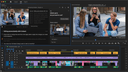
Premiere Assistant is an AI-powered plugin for Adobe Premiere that streamlines the editing process by automating repetitive early-stage tasks. It helps editors create clean automated rough cuts faster without leaving Premiere. The plugin handles tasks such as transcription, silence removal, filler word cleanup, automated caption creation, and text-based editing, allowing editors to focus on the structure and pacing of their projects. It is particularly useful for interviews, podcasts, and talking-head content, fitting seamlessly into existing workflows.
Premiere Assistant improves productivity by automating time-consuming tasks that typically slow down the editing process. By allowing editors to edit by text and handle mechanical edits automatically, it reduces the time spent scrubbing through timelines. This enables editors to quickly shape raw footage into a usable rough cut, allowing them to focus more on creative aspects rather than repetitive technical tasks.
While Premiere Assistant is designed to enhance workflows for various types of video content, it is particularly effective for interviews, podcasts, and talking-head videos. Its features are tailored to handle the specific needs of these formats, making it a valuable tool for editors working in these areas.
Yes, Premiere Assistant is designed to work natively inside Adobe Premiere Pro, which means it can be easily integrated into existing editing workflows. There is no need for exports or external prep tools, allowing editors to incorporate it seamlessly into their processes.