Home
List · created July 2026

Best Software for Social Media Managers

Plan, publish, and prove it worked — across every feed.

The best software for social media managers — schedule posts, run multiple accounts, engage audiences, and report on what's working across every network.

523Items
0Contributors
0Votes
  1. 226Bulk Photo Editor

    Bulk Photo Editor is a free browser-based photo editing application designed to help users edit multiple images simultaneously without installing software or uploading files to external servers. Instead of modifying photographs one at a time, the platform allows users to import an entire collection of images, apply a consistent set of adjustments, and process every photo in a single workflow. This approach makes Bulk Photo Editor particularly valuable for photographers, online sellers, social media creators, designers, marketers, and anyone who regularly works with large batches of images that require identical edits. By combining batch processing with an intuitive browser interface, the platform significantly reduces the time and effort required for repetitive photo editing tasks. The primary purpose of Bulk Photo Editor is to automate common image editing operations across multiple photos. Users begin by importing a group of images into the application directly from their computer. Once the photos have been loaded, they can select the adjustments they want to apply and have those changes automatically performed on every selected image. Rather than repeating the same editing process dozens or hundreds of times, users can complete their work through a single streamlined operation, making the platform highly efficient for projects involving large photo collections. One of the platform's core features is its collection of color adjustment tools. Users can quickly improve the appearance of their images by moving simple sliders until they achieve the desired visual result. Instead of requiring advanced knowledge of professional editing software, the interface is designed to make color correction accessible to users of all experience levels. Whether the goal is to brighten photos, improve contrast, adjust exposure, enhance colors, or create a more consistent appearance across an entire collection of images, the platform allows these changes to be applied rapidly and uniformly to every imported photograph. Another major capability is batch cropping and resizing. Images can be cropped to remove unnecessary areas, resized to match specific dimensions, rotated into the correct orientation, or flipped horizontally or vertically. These operations are especially useful for preparing photographs for websites, e-commerce stores, social media platforms, presentations, digital marketing campaigns, or print projects where consistent image dimensions are required. Instead of manually editing each image individually, users can ensure that an entire gallery follows the same formatting standards with only a few clicks. The platform is particularly useful for maintaining visual consistency across large image collections. Businesses often need every product photo to share identical dimensions, photographers frequently prepare hundreds of images from the same event, and content creators regularly optimize groups of pictures for online publication. Bulk Photo Editor simplifies these repetitive workflows by allowing the same edits to be applied across every image simultaneously. This consistency helps create more professional-looking image galleries while reducing the possibility of human error during repetitive editing tasks. One of the most important aspects of Bulk Photo Editor is its privacy-focused design. Unlike many online editing services that require users to upload their images to remote servers for processing, this application performs all editing operations directly within the user's web browser. The photos never leave the user's device, ensuring that sensitive, personal, or confidential images remain completely private throughout the editing process. This browser-based architecture not only improves data security but also eliminates concerns about cloud storage, third-party access, or unnecessary file transfers. Because all image processing occurs locally, the platform also benefits from faster performance for many editing tasks. Users do not need to wait for large image collections to upload before beginning their work, making the editing process more responsive, particularly when working with high-resolution photographs. Since the application runs entirely in the browser, it can be accessed from different operating systems without requiring software installation or complicated setup procedures.

    0
  2. 227AudioX

    Audio-first at the core, now expanded to AI image and AI video. Create sound, visuals, and motion in one studio. Audio-first, now expanded to images and video. Create AI audio, video, and image in one platform. Turn text or static images into fluid, high-definition video content. Perfect for social media, ads, and storytelling.

    0
  3. 228AudioX

    Audio-first at the core, now expanded to AI image and AI video. Create sound, visuals, and motion in one studio. Audio-first, now expanded to images and video. Create AI audio, video, and image in one platform. Turn text or static images into fluid, high-definition video content. Perfect for social media, ads, and storytelling.

    0
  4. 229AI Thumbnail

    Most YouTube thumbnails fail for one simple reason. They do not look like something people actually click on. Great thumbnails follow patterns. The layout, the crop, the text size, the contrast, the way the eye moves in the first second. Designers know this. Big channels know this. Most creators do not. This tool bridges that gap. You upload a YouTube thumbnail you like. A competitor, an inspiration, or a high-performing video. The system analyzes what makes it work and recreates the same structure and visual logic using your own content. You keep your own headline. Your own subtexts. Your own face if you want to appear in the thumbnail. Nothing is copied directly. No branding. No faces. No text from the original image. Unlike typical AI thumbnail generators, this one is built for consistency and CTR, not random creativity. Your face stays your face. Your text stays exactly as you wrote it. The result looks like it belongs on YouTube, not in a stock image library. The flow is simple: 1. Upload a thumbnail you like 2. Write your headline and optional subtexts 3. Optionally add your photo and small adjustments 4. Generate a clean, high-contrast thumbnail that fits the platform This is especially useful if you: * Want higher click-through rates * Do not want to learn design * Test thumbnails often * Care about consistency across videos * Want proven styles without copying creators Think of it as cloning the logic behind great thumbnails, not the thumbnail itself. If it looks familiar in the feed, that is the point.

    0
  5. 230GenVideo AI

    Create cinematic videos in minutes with our AI video generator. Make stunning visuals for social media, ads, or animated stories using advanced text-to-video and image-to-video AI tools.Create cinematic videos in minutes with our AI video generator. Make stunning visuals for social media, ads, or animated stories using advanced text-to-video and image-to-video AI tools.

    0
  6. 231Rupert AI

    Rupert AI envisions a world where marketing is not just about reaching audiences but engaging them in the most personalized and effective way. Our AI-driven solutions are designed to make this vision a reality for businesses of all sizes. Key Features - AI model training: You can train your vision model, an object, style or a character. - AI workflows: Multiple AI workflows for marketing and creative material creation. Benefits of AI Model Training - Custom Solutions: Train models to recognize specific objects, styles, or characters that match your needs. - Higher Accuracy: Get better results tailored to your unique requirements. - Versatility: Useful for different industries like design, marketing, and gaming. - Faster Prototyping: Quickly test new ideas and concepts. - Brand Differentiation: Build unique visual styles and assets that stand out. Benefits of AI Workflows - Time Saver: Automates repetitive tasks, speeding up content creation. - Consistency: Keep the look and feel of your brand uniform across different materials. - Cost Effective: Cuts down on manual work, saving resources. - Personalized Content: Easily create variations for different audiences. - Adaptable: Automatically adjusts content for different platforms and formats. Use Case E-Commerce Catalog Expansion: Automatically generate high-quality product images for new items based on a few reference photos. This allows e-commerce businesses to quickly populate their product catalogs without the need for costly photo shoots.

    0
  7. 232AI Image Editor

    AI Image Editor is a next-gen image editing tool that lets you effortlessly edit photos using simple text prompts, with no complex skills required. AI Image Editor can add, replace, or remove objects; restyle subjects; adjust lighting, color, pose, and scale; extend or reframe scenes; and seamlessly combine multiple images into one. It preserves identity and brand style across edits and handles typography. With optional masks for pixel-level control, you get clean, production-ready results for product shots, marketing banners, storyboards/comics, and packaging.

    0
  8. 233Veo 4 Video

    An AI Video Generator. Need a hero background that feels expensive? Veo4AIVideo powered by Veo 4 lets you create short cinematic loops with smooth movement and modern visual polish. Generate variations quickly, fine-tune tone and camera language, and keep iterating until it looks on-brand. Great for startups, creators, and content teams.

    0
  9. 234AI Image Editor

    AI Image Editor: Chat to Edit Photos Online Sign in at aiimgeeditor.art to claim free credits and try our AI image editor. Chat what you want—remove backgrounds, erase objects, expand canvas, retouch, or upscale—and the AI image editor returns clean results in seconds. Remove Backgrounds Instantly Chat 'remove background' and get clean cutouts with perfect edges. No manual masking required—the AI image editor handles complex hair and fine details automatically. Erase Objects Naturally Say 'remove the person on left' and watch objects disappear seamlessly. The AI image editor rebuilds the scene so edits look completely natural. Restore Old Photos Fix scratches, fading, and creases. The AI image editor restores clarity, reduces noise, and corrects color while keeping faces natural—perfect for scanned family photos. Enhance & Upscale Photos Chat 'make this sharper and brighter' for instant improvements. The AI image editor enhances details while maintaining natural photo quality.

    0
  10. 235AI ASMR

    Craft soothing ASMR videos in minutes—type a prompt and our VEO3 engine instantly blends whispers, ambience and visuals into clips ready to share. AI ASMR Video Generator converts your ideas into soothing audiovisual experiences. Anyone can make serene content without studio gear. Crisp Audio & Visuals. Deliver crystal-clear whispers, taps, and atmospheric scenes that feel lifelike and comforting. Simple Creation Space. Focus on creativity in an interface that removes friction for newcomers and pros alike. Wide-Ranging Scenarios. From meditation to study playlists, craft ASMR videos that match countless relaxation needs.

    0
  11. 236Kirkify

    Kirkify is an AI-powered website for creating instantly recognizable Charlie Kirk face-swap memes—often called Kirkified or Kirkification results—and for generating short AI videos for social media. The product is aimed at creators who need speed, consistency, and shareable humor rather than complex photo-editing workflows. How it works: users sign in, upload an image, and Kirkify’s pipeline detects faces in the frame—single portraits or multi-person photos—then transforms each face into the signature Charlie Kirk appearance. The goal is a coherent, meme-ready image that preserves enough scene context (pose, framing, lighting cues) to remain funny and readable in a feed. Supported input formats include JPG, PNG, and WEBP, with a practical file-size limit suitable for web uploads. After processing, users can preview, download, and optionally share creations into a public display gallery. Beyond still images, Kirkify provides AI video generation so teams and individuals can produce short clips from prompts or references. This extends the same creative brand—fast entertainment content—into video-first platforms. Together, face swap and video tools cover common creator needs: react to trends quickly, fill a content calendar, or experiment with generative AI without learning professional VFX software. Pricing is credit-based and transparent. Face swaps and videos consume fixed credit amounts so users can estimate monthly volume. Kirkify offers monthly subscriptions (Mini, Basic, Pro), yearly plans with meaningful savings versus month-to-month, and one-time credit packs that do not expire. New users usually receive complimentary starter credits. Payments are handled through standard online checkout (card and supported processors via the site’s billing providers). Kirkify is a cloud SaaS product: accessible from modern browsers on Windows, macOS, Linux, and mobile devices. There is no native offline generation mode; an internet connection is required to process jobs. Ease of use is a core promise—drag-and-drop upload, clear status, and downloadable output with minimal configuration. Privacy and control matter for user media. Uploads are processed for generation; public gallery posting is optional and user-driven. Policies for privacy, terms, and refunds are published on the site. For directory editors and partnership contacts, the business and support address is support@kirkify.info. In short, Kirkify packages a culturally specific meme format into a reliable AI product: fast Kirkification for images, AI video for short-form content, flexible credits, and a simple web UI built for viral creative work.

    0
  12. 237GPT Imagine

    GPT Imagine is a premium AI image generator powered by GPT Image 2. It offers intuitive Text-to-Image and Image-to-Image capabilities, flexible aspect ratios, and selectable quality tiers. With a built-in Prompt Library, creating professional marketing visuals and social media assets has never been easier.

    0
  13. 238Seedance 2 Video Agent

    Seedance 2 is the next-generation Seedance video model from the ByteDance Seed team. It upgrades the Seedance line with coherent multi-shot storytelling, audio-synchronized generation, and up to 1080p output so creators can ship ads, social clips, and storyboards faster. Native multi-shot narrative with consistent characters Seedance 2 focuses on coherent multi-shot storytelling from a single prompt, so a sequence can keep the same characters, props, and visual logic across shots. This helps marketers and creators who need a real story beat: hook, action, and payoff. Instead of making separate clips that feel disconnected, it can keep the narrative flow consistent across a short series. Native audio sync for complete clips Seedance 2 generates native audio alongside video, including dialogue and ambient SFX. That means the draft already feels like a complete clip, not a silent visual that still needs sound design. For social ads, this is useful because pacing and audio cues often drive attention in the first seconds, which helps performance tests. Production-ready 1080p output and flexible formats Seedance 2 delivers up to 1080p output and supports multiple aspect ratios, which makes it easier to post across feeds, stories, and landing pages without re-editing. It also generates short clips in the 5 to 12 second range, which matches real ad and social placements where a clear idea must land quickly. Precise instruction following and camera control Seedance 2 emphasizes accurate response to detailed prompts, including multi-subject interactions and dynamic camera movements. This makes it easier to direct scene flow and pacing with plain language. For teams, that means fewer trial-and-error cycles because the model can follow a clear creative brief without heavy manual editing.

    0
  14. 239Veoo AI

    Veoo Introduction Veoo is a free multi-model AI video generation platform that transforms text prompts or uploaded images into cinematic 1080p videos with native synchronized audio. Powered by top-tier models including Veo 3/3.1 (Fast, Premium, Standard), Sora 2/Pro, Wan 2.5, Kling 2.6 Pro, and others — all accessible in one place without waitlists, installations, or separate subscriptions. Key Features * Text-to-Video — Detailed prompts generate multi-shot cinematic clips with natural human motion, physics, storytelling, and native audio (dialogue lip-sync, effects, ambient, music). * Image-to-Video — Upload static images to animate into dynamic videos; supports style transfer, motion control, rotation, and preservation of original elements. * Multi-Model Switching — Choose from Veo3 Fast (speed-focused), Veo3 Premium (high quality), Sora 2, Wan 2.5, Kling, etc., balancing speed, fidelity, and cost. * Native Audio Integration — Videos come with perfectly synced sound: lip-synced dialogue, sound effects, background music, and immersive spatial audio. * Advanced Tools — Batch generation, scene extension/continuation, prompt templates, Veoo Bot AI assistant for optimization, smart multi-language prompts, privacy controls, and SEO-optimized sharing pages. * Output — Standard 1080p Full HD (some models upscale-capable), multiple aspect ratios (16:9, 9:16, square), cinematic quality with fluid motion and consistency. Core Advantages * All-in-one hub for leading models — no juggling platforms; select the best for each task (e.g., Veo3 Fast for quick drafts, Premium for pro finals). * True native audio-video co-generation → unmatched sync, immersion, and realism without post-production. * Fast & efficient: ~1 min for Veo3 Fast clips, 1–3 min typical; batch processing saves time. * User-friendly: Smart prompt system, templates, AI assistant, multi-language support, and global accessibility. * Trusted scale: 500K+ creators, 1M+ videos generated; full commercial rights on paid plans. Target Users * Short-video creators: Viral TikTok/Reels, dance challenges, social clips. * Content marketers: Ads, product demos, promotional videos, branded content. * Filmmakers & storytellers: Concept trailers, music videos, narrative prototypes. * Hobbyists & beginners: Quick cinematic experiments from text or photos. Frequently Asked Questions * Free to use? Yes — free tier with credits/limits and watermarks; paid plans start ~$28/mo (Lite: ~20 videos), $59/mo (Pro), $159/mo (Premium) for no watermarks, higher quotas, priority speed, private mode, character consistency, and full commercial use. Trial packs from $2.99 (3 videos). * Copyright? Users own generated content with full commercial rights (comply with terms; avoid infringing prompts/references). * Languages? Strong multi-language prompt and audio support (optimized for major languages). * Speed? 1–3 minutes per clip; fastest on Veo3 Fast mode with priority queuing on paid. * Best results? Craft detailed, structured prompts (scene, action, camera, lighting, style, audio cues); use reference images; leverage Veoo Bot for refinements and iterations.

    0
  15. 240Seedance 1.5 pro

    Seedance 1.5 Pro turns prompts into audio-synced videos for social content. Seedance 1.5 Pro is a joint audio-video model that accurately follows complex instructions, so one clear prompt can drive both what viewers see and what they hear. Seedance AI is an independent platform that helps creators use AI video generation in real marketing and creator workflows—fast testing, faster posting, and repeatable content production.

    0
  16. 241carvideoai.com

    AI Car Video Generator for Edits & Dealership Backgrounds Create 9:16 or 16:9 car edits with dynamic shots and moody light. Describe the car or upload a dealership photo; export-ready clips render in seconds. Generate your car video now Preview is muted. Your car or dealership clip swaps in once ready.

    0
  17. 242createimage

    Our software is an AI image generation tool. You just need to type a text description—like 'a Shiba Inu wearing a spacesuit standing on the moon'—and the AI can generate a high-definition image in seconds. No need to know how to draw, no need to find materials, just create images like chatting. Whether it's for PPT illustrations, designing posters, or adding illustrations to a novel, one sentence does it all.

    0
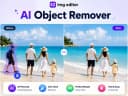
  18. 243EZ Img Editor

    Easily Remove Unwanted Object in one Click Remove photobombers, clutter, watermarks, or any unwanted distractions from your photos with a simple text prompt. Ez Img Editor intelligently fills the removed area, helping you create cleaner and more professional-looking images in seconds. Turn Causul Photo into Pro Headshot in Seconds Transform everyday selfies into polished professional headshots with AI. Adjust lighting, improve facial details, refine backgrounds, and create studio-quality portraits perfect for LinkedIn, resumes, business profiles, and personal branding. Change backgrounds to create high-quality display images Replace ordinary backgrounds with professional scenes that match your purpose. Whether you're creating product photos, marketing materials, social media content, or portfolio images, Ez Img Editor helps you generate eye-catching visuals.

    0
  19. 244Createimg.ai

    Createimg.ai is an all-in-one AI image generation platform that makes creating professional, commercial-ready visuals easier than ever. With advanced Text-to-Image and Image-to-Image generation, users can turn simple ideas or reference photos into stunning, high-resolution artworks in just seconds. The platform integrates multiple leading AI models such as Seedream v4, Flux.1, and Nano Banana, enabling users to explore a variety of styles — from realistic photography to artistic illustration and cinematic visuals.Designed for creators, designers, marketers, and brands, Createimg.ai provides a ready-to-use prompt library and an inspiring showcase gallery to help users discover new creative possibilities. It supports custom aspect ratios and formatting options, ensuring flexibility for every project — whether it’s for e-commerce, advertising, content marketing, or social media visuals.Best of all, no signup or installation is required. Users can access the tool instantly, enjoy generous free daily generations, and download all results in HD without watermarks or restrictions. With its clean interface, fast processing, and commercial-safe outputs, Createimg.ai is the ultimate AI-powered creative partner for anyone who wants to bring ideas to life — effortlessly and beautifully.

    0
  20. 245Fast Wan

    Fast Wan - Lightning-Fast AI Video Generation Platform Fast Wan revolutionizes video creation with breakthrough speed - generating a 5-second video in just 5 seconds. Featuring the latest Wan 2.2 and proven Wan 2.1 models, create stunning videos with professional-grade AI video generation and exceptional quality. Key Features: • FastWan 2.2 Model - Ultra-fast 720P video generation with enhanced quality and lightning speed • FastWan 2.1 Model - Proven reliability with consistent results and rapid processing • Lightning Speed - Generate 5-second videos in just 5 seconds with breakthrough performance • High-Quality Output - Professional-grade video output with stunning 720P and 480P quality • Optimized AI Technology - Sparse distillation technology for unprecedented generation speed • Creative Control - Precise control with customizable parameters and flexible inputs • Instant Results - Experience the fastest video generation available today The platform supports both text-to-video and image-to-video generation, offering multiple aspect ratios, quality modes, and creative tools for various video projects from social media content to professional presentations.

    0
  21. 246audiovideogenerator

    Create professional videos with sound using AI. Generate videos with music and sound effects. Best AI video generator for content creators. AudioVideoGenerator is your all-in-one AI-powered platform for creating stunning videos with fully integrated audio. Whether you're a content creator, educator, marketer, or hobbyist, our tool lets you generate professional-quality videos effortlessly. With AudioVideoGenerator, you can add background music, voiceovers, and sound effects that perfectly match your visuals, all automatically synchronized. The platform supports a wide range of video styles, from promotional clips and social media content to tutorials and storytelling. Designed for speed, creativity, and ease of use, AudioVideoGenerator helps you bring your ideas to life in minutes, saving you time while enhancing engagement. Experience the future of video creation with AI and make every video not just seen, but heard.

    0
  22. 247Image to Image AI

    Powerfully edit and reimagine any image. Enjoy AI image editing, professional outputs, and seamless creativity delivered instantly — not just image editing, but a one-stop AI platform for both images and videos. 1.Product Overview Powerfully edit and reimagine any image. Enjoy AI image editing, professional outputs, and seamless creativity delivered instantly — not just image editing, but a one-stop AI platform for both images and videos. 2.Key Features - Image & Video Transformation: Convert existing visuals into new, high-quality styles with AI - Image & Video Generation: Create stunning, original content from scratch powered by AI - Image & Video Editing: Enhance, retouch, and refine media with professional AI tools - Image & Video Effects: Unleash creativity with powerful AI effects - Instant Free Access: No signup, daily credits - Free Storage: Free, permanent, and unlimited storage to save your images and videos 3. Use Case - Instantly transform existing photos and videos into new, high-quality creations with AI. - Create stunning AI-generated images and videos instantly for your projects. - Enhance, restyle, or reimagine your media for branding, content creation, or personal projects. 4. Target Audience - For creators who need quick, AI-generated images and videos for content, marketing, and design. - For professionals seeking AI-powered tools to edit, enhance, and transform visuals. - For artists and innovators exploring AI to create unique, high-quality visuals effortlessly.

    0
  23. 248Blur Image Online

    This blur image tool offers simple tools to blur faces, sensitive text, or entire images directly in your browser for better privacy protection. Selective Blur Manually blur specific areas of an image with full control. Brush and selection tools Adjustable blur strength Multiple blur regions Perfect for faces, objects, and sensitive areas Full Image Blur Blur the entire image in a single step. Adjustable intensity Smooth, natural blur output Option to restore selected areas Ideal for background blur Face Blur Automatically detect and blur faces. Accurate multi-face detection Adjustable blur or pixelation Manual fine-tuning supported Designed for privacy protection Sensitive Information Blur Automatically blur private text information. Detects phone numbers, emails, IDs, and addresses OCR runs locally in the browser Editable and removable detection areas No data ever leaves your device Text Blur Blur text inside images with precision. Automatic text detection Blur or pixelate text blocks Ideal for screenshots and documents Pixelate Image Replace blur with pixelation when stronger masking is needed. Adjustable pixel size Works on full images or selected regions Commonly used for anonymization Motion Blur Apply directional motion blur effects. Adjustable angle and distance GPU-accelerated rendering Suitable for creative and dynamic visuals Private, Fast, and Easy 100% browser-based No image uploads No sign-up required Instant preview and export

    0
  24. 249Hi-Ai

    Hi-AI is an affordable, all-in-one, multimodal AI platform for content creators: videos, music, images, 3D, voice chat and reports. We use open-source, self-hosted AI models. Our models are inference-optimized in order to provide fast and cheap media generation. $5/month - AI Videos, music, voice, images, 3D, web search, news and reports.

    0
  25. 250SeedVideo

    SeedVideo is a browser-based workspace for creating and experimenting with AI-generated video across multiple generation models. It gives creators a streamlined way to choose a model, provide text or image inputs, run video generation tasks, and manage outputs from one interface. The platform is designed for users who want flexible access to different AI video models without switching between separate services, with free credits available for getting started.

    0
Good to know

Frequently asked questions