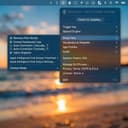
A cross-platform (windows, macOS) window management application inspired by Rectangle. Snap windows to predefined positions using keyboard shortcuts.
Features
Window Snapping: Snap windows to halves, quarters, thirds, and more
Keyboard Shortcuts: Customizable hotkeys for all window actions
System Tray: Runs quietly in the background with a system tray icon
Cross-Platform: Works on Windows and macOS (Linux support planned)
Hush Touch is a next-generation AI voice-to-text application built exclusively for macOS, designed to deliver faster, cleaner, and more intelligent dictation—entirely on-device. Unlike cloud-based alternatives, Hush Touch leverages the powerful dictation engines already inside your Mac and enhances them with a final pass powered by Apple Intelligence. The result is a seamless, privacy-first dictation experience that feels native, responsive, and remarkably accurate.
At just 5.5 MB, Hush Touch is lightweight yet powerful. It blends two Apple speech recognition systems—DictationTranscriber for natural flow and punctuation, and SFSpeechRecognizer for advanced vocabulary detection. By combining both engines and applying an Apple Intelligence refinement layer, the software produces highly accurate transcriptions, even for complex terminology such as technical jargon, brand names, or medical terms.
Designed for hands-free productivity, Hush Touch integrates with Siri activation. Simply say, “Hey Siri, start touch” to begin dictation, and the app automatically inserts text after two seconds of silence. You can also double-click a customizable hotkey to activate a Siri-style auto-stop mode. When you’re finished, voice commands like “okay send message” can automatically send your dictated text, streamlining communication without touching the keyboard.
Hush Touch includes a robust smart text processing pipeline. It removes filler words, auto-corrects common speech patterns, inserts punctuation naturally, supports emoji dictation, formats numbered lists, and enables voice-based formatting commands. The system also offers four context modes—General, Email, Code, and Notes—optimizing recognition behavior depending on what you’re writing.
A key differentiator is adaptive learning. The software detects when you manually correct a transcription and automatically adds the corrected term to your personal vocabulary. Users can store up to 500 custom terms, with frequency-weighted learning and per-app profiles that adjust recognition based on context. Voice snippets allow up to 50 custom phrase mappings for repeated text.
Privacy is foundational. Hush Touch operates 100% offline with zero cloud dependency. All speech processing—including the Apple Intelligence final pass—happens locally on your Mac. There are no network requests during dictation, no analytics, no telemetry, and no user tracking. The App Store privacy label confirms “Data Not Collected.”
Available for a one-time $20 lifetime license, Hush Touch eliminates subscriptions while delivering professional-grade AI dictation. It requires macOS 26+ for dual-engine mode and macOS 15+ for the classic engine.
For Mac users who value speed, accuracy, and complete privacy, Hush Touch transforms voice into text—smarter, cleaner, and entirely under your control.
0
Good to know
Frequently asked questions
SnapToWindow is a cross-platform window management application that enhances productivity by allowing users to snap windows to predefined positions using customizable keyboard shortcuts. This feature helps streamline workflows by organizing your workspace efficiently, enabling you to manage multiple applications and tasks without clutter. It runs quietly in the background and is compatible with both Windows and macOS, making it a versatile tool for users looking to optimize their time.
SnapToWindow offers several key features that enhance user experience, including window snapping to various predefined positions such as halves, quarters, and thirds. It also provides customizable keyboard shortcuts for all window actions, allowing for quick and efficient management of your workspace. Additionally, it operates from the system tray, ensuring it runs quietly in the background without interrupting your workflow.
Yes, SnapToWindow is a cross-platform application that works on both Windows and macOS. There are plans for Linux support in the future, making it accessible to a wider range of users who seek to improve their productivity across different operating systems.