Best Frontend Development Tools
This list showcases essential frontend development tools designed to enhance the efficiency and effectiveness of web development projects. These tools provide developers with various functionalities, from design and prototyping to coding and testing, streamlining the process of creating user-friendly interfaces.

Frequently asked questions
ogBlocks is a premium animated component library designed for building modern web applications and SaaS products. It features over 70 production-ready components that are fully responsive and customizable, allowing developers to easily integrate them into their projects. Built with Next.js, Motion, Tailwind CSS, and TypeScript, ogBlocks helps streamline the development process by providing clean, scalable code and modern animations. Additionally, it offers lifetime access, continuous updates, and a supportive community, making it ideal for indie hackers, freelancers, and startups looking to enhance their UI/UX without starting from scratch.
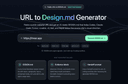
URL to Design.md is a tool that generates AI-ready DESIGN.md briefs from public webpages, making it easier for frontend developers to create structured design contexts. By simply pasting a public URL, users can extract essential design elements such as layout hierarchy, colors, typography, and interaction notes into a reusable Markdown format. This tool helps streamline the design process by providing clear guidelines and prompts for AI coding workflows, ensuring that developers have a solid foundation for their projects without the need for vague screenshots or manual design interpretation.