Best FFmpeg Utilities
This list showcases various FFmpeg utilities designed for multimedia processing and manipulation. These tools leverage the powerful capabilities of FFmpeg to perform tasks such as video conversion, editing, and extraction, making them essential for anyone working with audio and video files.
Frequently asked questions
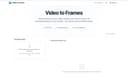
The best utility for extracting frames from videos is the Video to Frames Extractor. This browser-based FFmpeg WebAssembly tool allows you to convert MP4, MOV, AVI, and WebM clips into high-quality PNG or JPG frames without the need to upload files. You can set the exact frames per second (FPS) or extract every frame, preview the results in your browser, and download zipped image sets. It's particularly useful for creators, educators, QA teams, and analysts who require secure and instant frame captures on any device.
The Video to Frames Extractor offers several advantages: it is 100% free to use, requires no login, and ensures privacy by processing files directly in your browser without uploading them. This makes it an ideal choice for users who need a quick and secure way to extract frames from videos.
One limitation of the Video to Frames Extractor is that it may not perform optimally with videos that are very small in size. Users should consider the size of their video files when using this utility to ensure the best results.