Best AI Tools for Small Business Owners
Enterprise firepower on a small-business budget.
The best AI tools for small business owners — automate marketing, support, bookkeeping, and content so a small team can compete well above its weight.
- 176
 0
0PlugClaw is a thumb-sized private AI computer that gives any phone, tablet, or computer a personal AI employee that actually gets work done. Unlike traditional AI assistants that primarily focus on conversations and content generation, PlugClaw can operate apps, reply to messages, organize information, create presentations, and execute complete workflows - turning your ideas into real results. It combines a dedicated secure Android operating system with an AI agent, running in an independent environment that is physically isolated from your primary device. Together with state-of-the-art AI models and confidential cloud computing, PlugClaw delivers powerful AI while keeping your sensitive data under your control. Your information stays protected without compromising productivity or convenience. Ready to use right out of the box, PlugClaw requires no complicated setup or technical expertise. Whether you're automating repetitive work, managing daily tasks, or building your own AI workflows, PlugClaw becomes a personal AI employee that's always with you and always ready to work.
- 177
 0
0In the fast-paced digital landscape of social media and content creation, the ability to capture and retain audience attention is paramount. Video content has become the undisputed king of engagement, yet a significant portion of viewers consumes video in environments where audio is either unavailable or inconvenient, such as public transit, offices, or quiet spaces. Furthermore, accessibility remains a crucial pillar of modern content strategy. This is where Caption.im—a specialized tool available on the Apple App Store—steps in to bridge the gap between raw video footage and highly engaging, accessible, and professional-grade content. At its core, Caption.im is designed as a powerful utility for creators, small business owners, and digital marketers who need to add professional animated subtitles to their videos with minimal effort. The application leverages advanced speech-to-text artificial intelligence to automatically transcribe the spoken content within a video, transforming chaotic audio into structured, readable, and visually appealing text overlays. This process eliminates the tedious, manual labor historically associated with closed captioning, allowing creators to produce polished content in a fraction of the time. The application’s workflow is built around efficiency and user-friendliness. Users can simply import their video files—whether from their camera roll, cloud storage, or external URLs—and initiate the auto-transcription process. Once the AI has generated the captions, the app offers a comprehensive suite of customization tools. Creators are not limited to generic, static text; instead, they can select from a wide array of dynamic, animated caption styles, fonts, colors, and layouts. This flexibility ensures that the subtitles do not just serve as a utility but actually contribute to the overall aesthetic and branding of the video. The ability to style a caption allows the text to pop, move, and emphasize specific words, which is a proven tactic to maintain viewer interest throughout short-form content like TikToks, Instagram Reels, or YouTube Shorts. Beyond mere aesthetics, Caption.im provides the functional tools necessary for professional refinement. Users can perform one-tap caption editing to tweak individual lines or correct minor transcript errors on the fly, ensuring that the final output is 100% accurate. For those who require specific file formats, the application supports flexible exporting options, including embedded hardcoded subtitles, raw text files, or standard .srt files, which are essential for SEO-friendly video indexing on major platforms. Accessibility is a major value proposition of the app. By providing dynamic closed captions, creators can reach a significantly broader audience, including those with hearing impairments and non-native speakers who benefit from reading along. Moreover, the app is highly optimized for performance on Apple devices, ensuring that even intensive AI-processing tasks run smoothly without draining resources unnecessarily. In summary, Caption.im is more than just a captioning tool; it is an essential piece of infrastructure for any modern video creator. By automating the technical hurdles of transcription and design, it empowers users to focus on what truly matters: storytelling and connection. Whether you are aiming to increase your reach on LinkedIn, maximize engagement on TikTok, or simply ensure your message is received clearly across all environments, Caption.im provides the necessary tools to turn every clip into a professional, accessible, and impactful piece of media. As the demand for inclusive and captivating video continues to rise, tools like this become indispensable for navigating the complexities of digital content creation.
- 178
 0
0## Introduction GPT Image 2.5 is the next generation of OpenAI's GPT Image model family, available online as an image generator and editor with no setup required. It turns a written prompt or a set of reference photos into finished visuals, and it is tuned for the details production work depends on: exact text and layout, stable fine detail at large sizes, consistent characters and products, and edits that leave approved regions untouched. The platform outputs at 1K, 2K, and 4K across five aspect ratios, accepts up to 16 reference images for image-to-image editing, and runs a reasoning pass before rendering so long prompts survive intact. Designers, marketers, and developers use it for posters, packaging, UI mockups, comics, infographics, and localized visuals with text in multiple languages. ## Features ### 1. Sharper High-Resolution Output GPT Image 2.5 keeps edges, typography, product contours, and scene detail crisp at large sizes. Output is available at 1K, 2K, and true 4K with no artificial sharpening or soft upscaling tricks, so a hero image holds up on a billboard as well as on a phone. ### 2. Cleaner Repeated Edits Chain a dozen edits and the approved regions stay exactly as they were. GPT Image 2.5 preserves smooth gradients and color across every revision, with no block artifacts, added noise, or layout drift between rounds. ### 3. Stronger Prompt Precision Object counts, spatial relationships, materials, camera direction, lighting, and layout limits all land in one coherent output. Long briefs with many constraints are retained instead of being partially dropped. ### 4. Natural Skin and Detail Skin, hair, hands, fabrics, labels, and product geometry render with a natural finish that stays stable across variations. The refined decode stage removes the blocky noise of earlier generations while keeping realistic grain and micro-detail. ### 5. Exact Text and Layout Headline, body, and small-label copy are placed with dependable spelling, spacing, and hierarchy in every aspect ratio. Multilingual text stays accurate, making localized marketing and packaging visuals possible from a single prompt. ### 6. Reasoning Before Render A planning pass reads the brief, resolves counts and text content, and checks its own plan for conflicts before the first pixel is drawn. The same planning step carries into multi-turn edit chains for steadier results. ## Use Cases ### 1. Sequential Art Twelve panels, one cast. GPT Image 2.5 holds faces, costumes, and lighting steady from the opening frame to the closing beat, and each line of dialogue lands inside its balloon as scripted. Ideal for indie comics, storyboards, and visual narratives. ### 2. App Interface Renders Turn a wireframe into a screenshot that survives a designer's zoom. Menus, tables, and status icons sit on a true grid, and the tiny captions along the sidebar stay legible at any size — perfect for SaaS demos and app store listings. ### 3. Packaging Typography Curved glass, matte paper, glossy foil: the brand name reads the same on all of them. Ingredient lists and barcodes stay intact through a dozen revisions, so no label needs a manual fix before it goes to review. ### 4. Full-Page Web Layouts Think of it as a first draft from a senior web designer. Ask for a pricing table beneath a testimonial band and it appears in that order, each heading spelled out and aligned to its column — ready for rapid prototyping and A/B concepts. ### 5. Explainer Graphics When the subject is a pipeline or a process, structure is the whole point. GPT Image 2.5 plans the sequence before drawing, so numbered stages, connectors, and callouts follow your logic in technical diagrams and workflow infographics. ### 6. Store Listing Visuals Shoppers decide in seconds, and a listing built here gives them everything at once: a hero shot, a feature grid, a price badge, and a buy button that looks like it belongs on a real storefront — with product photography costs cut across the catalog. ## FAQ ### 1. What is GPT Image 2.5? GPT Image 2.5 is the next generation of OpenAI's GPT Image model family, available on our platform as an online image generator and editor. It turns written prompts and reference images into finished visuals and is tuned for exact text, stable fine detail, consistent characters and products, and edits that leave approved regions untouched. You can use it directly on the site without any setup. ### 2. How does GPT Image 2.5 improve on GPT Image 2? GPT Image 2 introduced reasoning before the render, reliable multilingual text, and batches of consistent images. GPT Image 2.5 refines that base in four areas: sharper detail at large sizes without soft upscaling, cleaner color across repeated edits with less noise and drift, stronger retention of long prompts with many constraints, and more natural skin, hair, fabric, and label texture that stays stable across variations. ### 3. What can I generate with GPT Image 2.5? Anything from a single hero image to a coordinated set: marketing posters, product and packaging shots, UI and app mockups, landing page designs, comics and storyboards, infographics, and localized visuals with text in multiple languages. Text-to-image starts from a prompt; image-to-image takes up to 16 reference images to guide character, style, composition, or product details. ### 4. What resolutions and aspect ratios are supported? Output is available at 1K, 2K, and 4K. Aspect ratios include 1:1, 16:9, 9:16, 3:2, and 2:3, plus an automatic option that lets the model choose the frame. Higher resolutions cost more credits per image, and the exact cost is shown in the generator before you run it. ### 5. Is GPT Image 2.5 the same as MAI-Image-2.5? No. MAI-Image-2.5 is a Microsoft image model available through OpenRouter and other providers. GPT Image 2.5 is powered by OpenAI and belongs to the GPT Image family, the same line as GPT Image 2 and GPT Image 1.5. The shared version number causes confusion in search results, so check the vendor before comparing samples, benchmarks, or pricing. ### 6. Do I need an account, and what does it cost? You can browse examples without signing in, and a free account includes starter credits to try GPT Image 2.5. Each generation deducts credits based on resolution, with 1K the cheapest and 4K the most expensive. Paid plans add larger credit bundles, priority generation, and commercial use rights, all listed in the pricing section of the site.
- 179
 0
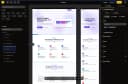
0Most no-code builders treat APIs as an afterthought. Nobley doesn't. Import an OpenAPI spec or GraphQL schema and your client's backend becomes a fully typed, queryable data source in under 60 seconds — no manual wiring, no custom connectors. Then bind that live data directly to components, visually. On top of that, you get real app primitives: state management, event handlers, conditional rendering, and formulas. So you're building actual interactive web apps, not glorified landing pages. An AI agent helps you scaffold and build pages faster, so you spend less time on boilerplate and more time on the work that matters. And the pricing is built for how agencies actually work: €24/mo covers 5 client sites compared to Webflow's $14–23 per single site. Nobley is the only visual builder that combines serious API integration, real interactivity, AI assistance, and agency-friendly pricing in one product.
- 180
 0
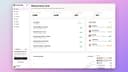
0ProspectHalo is an AI sales agent built for founders, sales teams, agencies, recruiters, and other B2B businesses. It helps users find and qualify leads, run personalized LinkedIn and email outreach, follow up automatically, manage replies in one unified inbox, and create LinkedIn content for inbound growth. ProspectHalo is designed to reduce repetitive prospecting work and help businesses generate more conversations, meetings, and pipeline without relying on a large SDR team.
- 181
 0
0TalentEconomy is an AI-powered recruitment platform that helps organizations streamline hiring through intelligent resume screening, candidate matching, and recruitment automation. Designed for recruiters, HR professionals, staffing agencies, and growing businesses, the platform reduces manual hiring tasks while improving candidate quality. Using advanced AI, TalentEconomy analyzes resumes, matches candidates to job requirements, ranks applicants based on skills and experience, and helps hiring teams make faster, data-driven decisions. Recruiters can quickly identify top talent, minimize hiring bias, and significantly reduce time-to-hire. The platform supports end-to-end recruitment workflows, making it easier to manage applicants, evaluate talent, and improve hiring efficiency. Whether you're hiring for a startup or a large enterprise, TalentEconomy helps build stronger teams through smarter recruitment. TalentEconomy is ideal for HR departments, recruitment agencies, hiring managers, and businesses looking to modernize their talent acquisition process with AI.
- 182
 0
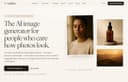
0LaFoto is an AI-powered image generation platform built for users who care about creating realistic, high-quality photographs rather than stylized AI artwork. Designed as a complete text-to-image studio, LaFoto enables creators, marketers, businesses, designers, and everyday users to transform simple text descriptions into polished, photorealistic images that look professional and ready for real-world use. The platform focuses on photography-quality results, offering an experience centered on image refinement, realism, and creative control. Unlike many AI image generators that prioritize artistic styles or abstract visuals, LaFoto is specifically optimized for realistic photography. Users can describe a subject, scene, product, person, or environment in natural language, and the platform generates detailed images with attention to composition, lighting, depth, and visual quality. The goal is not simply to create images, but to create photographs that appear believable and commercially useful. LaFoto supports a wide range of image creation use cases. Users can generate professional portraits, business headshots, product photography, landscapes, lifestyle imagery, editorial-style photos, food photography, interior design visuals, and architectural renders. This versatility makes the platform useful for entrepreneurs, ecommerce businesses, content creators, marketers, agencies, and professionals who need high-quality visuals without the expense of traditional photography. One of LaFoto’s distinguishing features is its focus on editing and refinement rather than repeatedly generating new images from scratch. Instead of forcing users to rerun prompts until they achieve the desired result, the platform aims to provide tools that allow creators to modify and improve generated images directly. Users can adjust elements of an image, change backgrounds, remove unwanted objects, refine details, and enhance composition while preserving the aspects they already like. The platform includes several specialized tools built around different photography workflows. These include a text-to-photo generator, an AI photo editor, an AI portrait generator, an AI headshot generator, and an AI product photography solution. Each tool is designed to address a specific need while leveraging the same photo-focused AI engine. This approach allows users to work efficiently whether they are creating marketing assets, personal branding images, ecommerce product photos, or social media content. LaFoto also emphasizes accessibility and ease of use. The platform is browser-based, requiring no complex installation, specialized hardware, Discord servers, or technical expertise. Users can begin generating images quickly through a straightforward interface designed to make advanced AI photography accessible to everyone. In addition to image generation, LaFoto provides free utilities such as image resizing, image compression, image conversion, color extraction tools, and AI prompt generation resources. These tools help users optimize and manage their visual content without relying on multiple separate applications. Currently in pre-launch, LaFoto positions itself as a next-generation AI photography platform focused on realism, creative control, and professional-quality output. By combining photorealistic image generation, advanced editing capabilities, and an intuitive workflow, LaFoto aims to become a powerful solution for anyone seeking to create stunning AI-generated photographs that look polished, realistic, and ready for commercial use.
- 183
 0
0Most AI writing tools give you generic content that sounds like every other blog on the internet. Wordrific was built to solve a different problem: how do B2B marketing teams produce high-volume content that actually resonates with the people they're trying to reach? Wordrific generates content anchored to your Ideal Customer Profile. Instead of writing for "everyone," every article, LinkedIn post, and email speaks directly to your buyers, their specific challenges, what keeps them up at night, and the language they actually use. The result is content that reads like it was written by someone who deeply understands your market, because the system was trained on your market. Content produced through Wordrific is optimized for both traditional search engines and the new wave of AI-powered search platforms like ChatGPT, Perplexity, and Gemini. As more buyers turn to AI tools for research, showing up in those results is no longer optional. Wordrific handles both.
- 184
 0
0Revamp is an AI-powered website redesign platform that enables users to transform any existing website into a modern, responsive design in approximately two minutes. Rather than requiring access to the original website files or content management system, the platform works by simply pasting a live website URL. Revamp then analyzes the site's structure, layout, and content before automatically generating a refreshed version that preserves the original information while presenting it with a significantly improved visual design. This approach makes website modernization dramatically faster than traditional redesign processes, eliminating weeks of design discussions, wireframes, revisions, and development work. The platform is built for a wide variety of users, including freelancers, web design agencies, digital marketing firms, SaaS companies, startups, and businesses that want to modernize outdated websites. Whether the original website was built with WordPress, Squarespace, Wix, Shopify, Webflow, Framer, a legacy content management system, or custom HTML, Revamp can analyze the live website directly from its URL. This broad compatibility allows users to redesign virtually any publicly accessible website without migrating platforms or rebuilding pages from scratch. The redesign process is intentionally simple and consists of only three steps. First, users paste the URL of any live website into the platform. This can be their own website, a competitor's website, or even a website they admire for inspiration. Next, Revamp's AI analyzes the existing page structure, navigation, typography, content hierarchy, and visual organization before generating a completely modernized version in roughly two minutes. Finally, users receive a live preview that can be shared with anyone, and paid subscribers can export the generated HTML, CSS, and JavaScript for deployment or further customization. One of Revamp's biggest advantages is that it focuses on redesign rather than rebuilding content. Instead of rewriting copy or changing important page information, the AI preserves the website's headings, metadata, and overall content structure while improving its visual presentation. This SEO-friendly approach helps maintain search engine relevance while providing a fresh, responsive design that performs well across desktop computers, tablets, and mobile devices. By preserving existing content, businesses can modernize their websites without worrying about losing valuable search engine optimization work that has been built over time. Every redesign generated by Revamp includes several practical features designed to simplify collaboration and deployment. Users receive shareable preview links that can be opened directly in a browser without requiring an account or login, making it easy to present concepts to clients, business partners, or internal teams. Paid plans additionally provide permanent preview URLs and complete code exports, allowing developers to download clean HTML, CSS, and JavaScript files that can be deployed immediately or integrated into existing workflows. Revamp places a strong emphasis on speed and efficiency. Traditional website redesign projects often involve weeks of planning, design revisions, client feedback, prototyping, and front-end development before a final version becomes available. Revamp compresses much of this initial creative process into only a few minutes through artificial intelligence. This rapid workflow enables businesses to evaluate multiple visual directions quickly, experiment with different redesign concepts, and validate ideas before investing significant development resources. The platform is especially valuable for agencies and freelance designers. Marketing agencies can generate professional redesign concepts during discovery calls, helping prospective clients immediately visualize what a modern version of their existing website could look like. This visual demonstration can strengthen sales presentations, improve proposal quality, and shorten the decision-making process. White-label plans further support agencies by allowing them to present redesigns under their own branding while serving multiple clients simultaneously.
- 185
 0
0SimpleClaw SimpleClaw - One-click OpenClaw DeploymentDeploy OpenClaw in under 1 minute. No servers or DevOps. Pick a model, connect a channel, and launch. [SimpleClaw](https://www.easyclaw.pro) has been out for a while now and makes OpenClaw deployment easier, and I hope you all like it. EasyClaw is a revolutionary "No-Ops" deployment platform designed for users who want to leverage the power of Large Language Models (LLMs) without the headache of managing servers or writing complex code. Whether you are a developer, a business owner, or an AI enthusiast, EasyClaw allows you to launch a fully functional AI chat application in just a few clicks. Why Choose EasyClaw?True Zero-Ops Experience: Forget about SSH, Docker, or cloud server maintenance. EasyClaw handles the backend infrastructure for you, meaning you can focus on the user experience rather than the plumbing. Rapid Deployment: Time is money. With our optimized workflow, you can pick a model, connect your preferred communication channel, and go live in under 1 minute. Multi-Model Integration: Access the world’s most powerful AI models, including OpenAI’s GPT-4, Anthropic’s Claude 3.5, and other open-source alternatives, all through a unified and sleek interface. Cross-Channel Support: Seamlessly connect your AI to various channels. Whether it's for web-based chat or integration with popular messaging platforms, EasyClaw makes connectivity effortless. Key Features at a Glance:Markdown-Ready Interface: Enjoy a premium chat experience with full support for code syntax highlighting, tables, and mathematical formulas. User-Friendly Dashboard: Manage your API keys, monitor usage, and customize your chatbot’s personality through an intuitive control panel. Enterprise-Grade Performance: Built on a high-concurrency architecture, ensuring low latency and high availability even during peak traffic. Privacy Focused: We prioritize your data security. Your API configurations are encrypted, ensuring that your keys and conversations remain private. How It Works:Pick a Model: Select from a library of cutting-edge AI engines. Connect a Channel: Choose where you want your AI to live (Web, API, or Social). Launch: Hit the deploy button and your personal AI instance is ready to use! Stop wasting hours on server configurations. Visit EasyClaw today and start building the future of AI interaction with the simplest deployment tool on the market.
- 186
 0
0Photostock’s Free AI Image Generator lets you create stunning, high-resolution images in seconds using simple text prompts. Designed for creators, marketers, and businesses, the tool requires no signup and offers unlimited free access. All generated images are royalty-free and approved for commercial use, making it perfect for blog posts, social media content, advertising materials, and design projects. Whether you need professional product shots, eye-catching backgrounds, or unique artistic visuals, Photostock delivers instant, high-quality results with ease.
- 187
 0
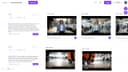
0Powerfully edit and reimagine any image. Enjoy AI image editing, professional outputs, and seamless creativity delivered instantly — not just image editing, but a one-stop AI platform for both images and videos. 1.Product Overview Powerfully edit and reimagine any image. Enjoy AI image editing, professional outputs, and seamless creativity delivered instantly — not just image editing, but a one-stop AI platform for both images and videos. 2.Key Features - Image & Video Transformation: Convert existing visuals into new, high-quality styles with AI - Image & Video Generation: Create stunning, original content from scratch powered by AI - Image & Video Editing: Enhance, retouch, and refine media with professional AI tools - Image & Video Effects: Unleash creativity with powerful AI effects - Instant Free Access: No signup, daily credits - Free Storage: Free, permanent, and unlimited storage to save your images and videos 3. Use Case - Instantly transform existing photos and videos into new, high-quality creations with AI. - Create stunning AI-generated images and videos instantly for your projects. - Enhance, restyle, or reimagine your media for branding, content creation, or personal projects. 4. Target Audience - For creators who need quick, AI-generated images and videos for content, marketing, and design. - For professionals seeking AI-powered tools to edit, enhance, and transform visuals. - For artists and innovators exploring AI to create unique, high-quality visuals effortlessly.
- 188
 0
0Image 2.5: Create and Edit Images with AI Image 2.5 is a browser-based GPT Image 2.5 AI image generator and editor for creators, designers, marketers, and visual storytellers. It helps you generate original artwork from text, edit existing images with natural-language instructions, and build polished visuals from reference images or rough sketches. Key Features * Generate images from text prompts * Edit images using simple written instructions * Use multiple reference images to guide the result * Preserve characters, products, materials, and visual details * Replace backgrounds, restyle scenes, and modify selected objects * Create square, portrait, landscape, or custom compositions * Generate high-resolution images up to 4K * Export results as PNG, JPEG, or WebP * Create transparent-background images where supported * Refine the same idea through multiple editing rounds Two Models for Different Workflows Image 2.5 includes two GPT Image 2.5 model options: * Sunburst – prioritizes image quality, detail, and editing precision. * Flare – provides faster generation for drafts and everyday creative work. What Is Image 2.5 Useful For? Use Image 2.5 to create product images, advertising concepts, social media graphics, infographics, posters, character designs, storyboards, presentation visuals, concept art, and targeted photo edits. From initial prompt to final export, Image 2.5 combines text-to-image generation, reference-based image creation, and AI image editing in one streamlined online workspace.
- 189
 0
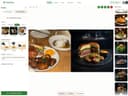
0PlatePhoto is an AI-powered food photography platform that enables restaurants, food businesses, delivery services, and content creators to generate professional-quality food images in seconds. Instead of relying on expensive photoshoots or advanced editing software, users can upload a simple photo taken with a smartphone and transform it into a polished, menu-ready image using artificial intelligence. The platform is designed to help businesses improve their visual branding, attract more customers, and increase online orders through high-quality food photography. The platform focuses on solving one of the biggest challenges in the food industry: creating consistent, professional images for menus, websites, social media, and food delivery platforms. Attractive food photography has a significant impact on purchasing decisions, and PlatePhoto provides businesses with an affordable way to create visually appealing images without hiring photographers or graphic designers. Restaurants can quickly update menu items, seasonal specials, or promotional content while maintaining a consistent visual identity across every marketing channel. PlatePhoto offers an AI-powered editing experience that requires no previous design knowledge. Users simply upload a food photo and select from dozens of professionally designed visual styles or create custom presets tailored to their brand. Available styles include casual café environments, fine dining presentations, classic restaurant photography, outdoor terrace scenes, family dining settings, chef-inspired compositions, brunch aesthetics, clean white backgrounds, and many other professional looks. The AI automatically applies lighting, composition, background adjustments, and stylistic enhancements while preserving the appearance of the dish. In addition to style transformations, PlatePhoto allows users to edit food images using simple natural language prompts. Instead of learning complex software such as Photoshop or Canva, users can request specific modifications by describing them in plain language. The AI can adjust lighting, remove unwanted ingredients, add garnishes, improve presentation, modify backgrounds, enhance colors, or perform other visual refinements within seconds. This conversational editing approach makes professional food photography accessible to restaurant owners, marketers, and creators regardless of their technical experience. A unique feature of PlatePhoto is its ability to import existing food photos directly from a restaurant's website or Google Maps listing. Businesses that already have online menu images can instantly transfer them into the platform without manually downloading and uploading files. Once imported, those images can be enhanced, restyled, and optimized using the platform's AI editing tools. This workflow saves considerable time while allowing restaurants to modernize their existing visual content. The image generation process is intentionally simple. First, users upload a photo of their dish, even if it was taken with a mobile phone. Next, they choose one of the many available visual styles or create a custom appearance that matches their brand identity. Finally, the AI generates a high-resolution professional image that is ready to publish on restaurant websites, printed menus, delivery applications, social media platforms, or marketing materials. The entire process is completed within seconds, allowing businesses to update visual content almost instantly. PlatePhoto is designed for a wide variety of use cases across the food industry. Restaurants can create attractive menu photography that encourages customers to order more items. Food delivery businesses can optimize product images for platforms such as DoorDash, Uber Eats, Grubhub, Yelp, and OpenTable. Marketing teams can generate consistent branding across websites, advertisements, and promotional campaigns. Food bloggers and social media creators can quickly produce engaging content without organizing professional photo sessions. Entrepreneurs launching new food businesses can create premium-quality images while keeping startup costs low.
- 190
 0
0PrivatClaw is a fully managed OpenClaw hosting service that gives you a dedicated, private virtual server with OpenClaw pre-installed and ready to use. No Docker, no terminal commands, no DevOps — just sign up and start chatting with your personal AI assistant. Every PrivatClaw instance runs on its own isolated VPS, meaning your data, conversations, and configurations belong entirely to you. Unlike shared hosting solutions, there is no shared infrastructure between users — your server is yours alone. We handle everything behind the scenes: initial deployment, OpenClaw configuration, security hardening, software updates, backups, and ongoing server maintenance. If something breaks at 2 AM, that's our problem, not yours. You focus on using your AI assistant — we keep it running. PrivatClaw connects to the messaging platforms you already use — Telegram, WhatsApp, Discord, Slack, and more. Your OpenClaw instance works 24/7 as a proactive AI agent that can browse the web, manage files, run automations, and remember your preferences across conversations. It's not just a chatbot — it's a personal AI teammate that actually gets things done. Whether you want a personal productivity assistant, a team-facing support bot, or an automation engine for your business workflows, PrivatClaw delivers the full power of OpenClaw without the technical overhead. Our support team is available to help with setup, configuration, custom skills, and any issues that come up along the way. Skip the self-hosting headaches. Get a production-ready OpenClaw instance that just works.
- 191
 0
0Generate AI Explainer Videos at the Speed of Thought! Minis AI is your one stop solution for generating AI Explainer Videos. Just type the topic and Minis will do the rest. If you need customization, an intuitive built-in video editor is also there. Tune in for early access https://minisai.solvor.co.in #minis #intro #minisai #aivideo #ai #aishorts #petergriffin #stewiegriffin #rickandmorty #familyguy
- 192
 0
0Stop guessing what goes viral. Use our Chrome Extension to import any trending TikTok slideshow in seconds. ⚡️ SlidesCockpit’s AI clones the viral DNA, replaces it with your SaaS/Brand assets, and auto-posts it for you. It’s the ultimate growth shortcut for founders who have no time for manual editing. 🚀 The Shortcut: 1️⃣ Import: Grab viral hits with 1 click 2️⃣ Clone: AI remixed for your brand 3️⃣ Automate: Schedule & auto-post Scale organic traffic on autopilot while you ship apps.
- 193
 0
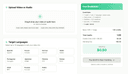
0DubVid is a fast, accessible AI-powered platform that allows creators, educators, and teams to dub audio and video content into multiple languages in just minutes. Designed for simplicity and global scalability, DubVid combines natural-sounding AI voices, optional voice cloning, and premium lip-sync technology to help users localize content without the complexity of traditional production workflows. At its core, DubVid focuses on removing the barriers to global distribution. Users can upload audio or video files—supporting formats such as MP4, MOV, WebM, MP3, and WAV up to 500MB—and transform them into multilingual versions in three simple steps: upload the file, choose target languages and voices, and download fully localized content ready for publishing. The platform supports stock AI voices for instant dubbing or allows users to clone their own voice for a more personalized and consistent brand presence. One of DubVid’s standout features is its built-in global reach calculator. Users can select a source language, such as English, and instantly preview the potential audience size when adding languages like Spanish, Hindi, or French. This audience visualization reinforces the platform’s core value proposition: expanding reach from a single-language audience to potentially over a billion additional viewers and listeners worldwide. The dubbing workflow is streamlined for speed and clarity. After uploading content, users select one or multiple target languages, pick a voice type (standard AI or cloned), and optionally enable subtitles or premium lip-sync. The lip-sync feature aligns dubbed audio with mouth movements in talking-head videos, increasing realism and viewer trust—particularly valuable for educational content, product demos, and personal brand videos. DubVid operates on a transparent, usage-based credit system rather than subscriptions. One credit equals one minute of content localized into one language using a stock voice. Optional features add incremental credits per minute: voice cloning, subtitles, and advanced lip-sync. Each credit has a fixed dollar value, and a small handling fee applies per job. This pay-as-you-go structure ensures users only pay for what they actually localize, making the platform accessible to solo creators while remaining scalable for teams managing high-volume content. The platform includes a free test option, allowing users to dub up to 60 seconds without entering payment details. This lowers friction and gives creators a chance to evaluate voice quality, translation accuracy, and synchronization before committing to larger projects. DubVid is built for a wide range of use cases. Short-form content creators can dub YouTube Shorts, Instagram Reels, and TikTok videos to expand into new regions without re-recording content. Course creators can translate lessons, tutorials, and webinars for global learners in minutes, dramatically increasing addressable markets. Companies can localize help center videos, onboarding walkthroughs, and product demos to reduce support tickets and improve customer experience across regions. Podcasters can release both audio and video episodes in multiple languages without additional studio sessions. The platform emphasizes ease of use, requiring no technical expertise. There are no complex timelines, editing suites, or engineering requirements. Users upload, configure, and download—often in under a minute for short clips. This speed makes DubVid particularly attractive for agile marketing teams and content-first brands that need to publish frequently across global markets. In essence, DubVid transforms language from a limitation into a growth lever. By combining AI voice generation, optional voice cloning, multilingual translation, subtitles, and lip-sync within a simple credit-based model, the platform enables creators and organizations to scale content internationally with minimal effort. Whether for social media growth, education, customer support, or podcast expansion, DubVid offers a practical and cost-efficient path to global reach.
- 194
 0
0Floot is a vibe coding platform for non-coders and entrepreneurs to build serious web apps with AI (no coding required). Designed to be super easy to use and powerful, the entire tech stack (backend, database, auth, hosting, etc) is built-in so non-coders can build, host, and scale production-grade apps all in one place.
- 195
 0
0Make It Quick simplifies video creation, turning your words into fully edited, high-quality videos in minutes. Key Features 1. Automatically generates short videos (30 to 60 seconds) 2. Automatically generates long videos (60 to 120 seconds) 3. Auto-generates script 4. Full Editorial Access 5. 4K resolution Benefits 1. Saving time 2. Proven viral video style Use Case Here are several use cases for Make It Quick, showcasing how the platform can be used across different industries and for various needs: 1. Content Marketing Use Case: A small business wants to promote their latest product on social media. How It Helps: - Generate a script highlighting the product’s benefits and unique features. - Create an engaging video with AI visuals (e.g., product in action, lifestyle imagery) and voice narration. - Share the video directly to platforms like TikTok, Instagram, or YouTube Shorts. 2. Educational Content Use Case: An educator or tutor wants to create short, informative videos for their students. How It Helps: - Enter a topic like “The Solar System” and generate a script explaining it concisely. - Use AI to generate visuals of planets, space, and astronomical phenomena. - Add narration to explain concepts, making the content engaging and accessible. 3. Social Media Influencers Use Case: A lifestyle influencer wants to consistently post creative content to grow their audience. How It Helps: - Quickly create videos on trending topics or personalized messages to followers. - Use multi-language support to expand their reach to international audiences. - Customize visuals and scripts to align with their personal brand.
- 196
 0
0AI Generator Email is a free online AI email generator designed to make everyday email writing faster, easier, and more professional. Users can enter a short brief, choose the tone, intent, language, length, recipient details, and extra context, then generate a polished subject line and ready-to-edit email draft. The tool is useful for work emails, professional requests, follow-ups, customer support replies, sales outreach, job-related messages, school communication, and personal emails. It can also help users reply to existing emails more quickly by turning rough ideas into clear, natural responses. AI Generator Email is built for speed and simplicity. Users do not need to start from a blank page or spend time adjusting prompts manually. They can generate a draft, edit it if needed, and copy it into their own inbox. The site also includes related email tools such as temporary email and email signature generation, making it a practical workspace for common email-related tasks.
- 197
 0
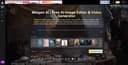
0Meigen AI is a free AI creative platform for editing images and generating videos with simple text prompts. Use it to enhance photos, create new visual concepts, turn ideas into polished media, and speed up social content production without advanced design skills. Built for creators, marketers, students, everyday users, Meigen AI makes AI image editing and video generation easier, faster, and more accessible for modern digital storytelling across social media, websites, ads, and projects today.
- 198
 0
0Image to Image AI is an AI image and video platform that lets you transform reference images or generate new ones from text. Upload one or several images, add a prompt, and get high-quality outputs in multiple aspect ratios (1:1, 16:9, 9:16, etc.) and resolutions (1K, 2K, 4K). It runs on AI Best and supports 9+ models including Nano Banana, Nano Banana Pro, GPT-4o Image, Flux Kontext, and video models like Veo. Use it for product shots, social content, concept art, or marketing—with sharper 2K imagery, 4K scaling, better text in images, and consistent characters.
- 199
 0
0Supaslides is an AI-powered content creation platform designed to help creators, marketers, and businesses generate high-performing social media carousels in seconds. The tool focuses on turning simple inputs—such as a URL, a short idea, or a text prompt—into fully designed, branded carousel posts that are ready to publish across multiple platforms. Its main goal is to remove the complexity of design and copywriting by automating the entire creation process while still allowing users to maintain control over the final output. At its core, Supaslides works as an AI content and design engine that reads brand information from a website link and transforms it into a consistent visual identity. Once a user provides a URL, the system extracts brand elements such as colors, fonts, tone of voice, and overall style. It then uses this data to generate a cohesive carousel that matches the brand’s identity. This allows users to produce content that feels custom-made without needing design experience or manual setup. One of the key features of Supaslides is its ability to generate complete carousels in around 60 seconds. The platform automatically writes the copy for each slide, structures the content, selects relevant visuals, and applies design styles. Users can then refine the result using an intuitive visual editor that allows them to rewrite text, reorder slides, and adjust layouts in real time. This combination of automation and manual control makes the tool flexible for both beginners and experienced content creators. Supaslides also offers a wide variety of design styles, including more than 40 premium visual templates. These styles range from minimal and professional layouts to bold and expressive designs, enabling users to adapt their content to different audiences and platforms. The platform supports both static and animated formats, meaning carousels can be exported as images, videos, or PDFs depending on where they will be published. Another important aspect of Supaslides is its multi-platform export system. The tool automatically formats content for major social networks such as Instagram, TikTok, LinkedIn, Facebook, X (Twitter), Pinterest, and YouTube. Each platform has its own optimal format, and Supaslides ensures that every carousel is resized and optimized correctly without requiring manual adjustments from the user. This is especially valuable for creators who distribute content across multiple channels and need consistency in presentation. The platform also includes AI-assisted ideation tools that help users overcome creative blocks. It can generate carousel ideas based on a topic, expand rough notes into structured posts, or transform existing articles into engaging social content. This feature allows users to maintain a steady flow of content without needing to constantly brainstorm new ideas from scratch. From a technical perspective, Supaslides integrates smart image handling and brand automation. It can detect context from content and automatically select or place relevant images into slides. Users can also upload their own media library, and the system intelligently applies visuals where they best fit. This reduces manual design work and ensures each slide maintains visual coherence. The platform is designed for different types of users, including solo creators, marketing teams, and agencies. Pricing tiers reflect this range of use cases, offering a free plan for casual users and paid plans for more advanced needs. Higher-tier plans unlock additional brands, more monthly carousel generations, watermark-free exports, and priority rendering. Overall, Supaslides positions itself as an all-in-one AI content studio for social media carousels. By combining brand extraction, AI writing, automated design, and multi-platform exporting, it enables users to produce professional-quality content at high speed. The platform is especially valuable for individuals and teams looking to scale their content output without increasing design workload or relying on complex creative tools.
- 200
 0
0SegWize automatically creates AI-facilitated cost segregation tax reports for small real estate investors, with a focus on the unique requirements of short-term rental properties. Users upload any relevant documents related to the property purchase and renovations; supplemented with publicly available data, the platform will extract, recognize, and accurately segregate the costs into a formatted and immediately available report, based on clear and existing IRS guidelines. Related Tags (Separate with commas) personal finance; tax strategy; real estate investment; airbnb; airbnb investment; str; short-term rentals; bonus depreciation; cost seg; cost segregation; tax deductions; cash flow; real estate strategy; depreciation Untitled checkboxes field I confirm that the information I have provided is accurate, and I agree to the terms and conditions.
Frequently asked questions
ZenCall is an AI phone agent designed to handle phone calls for you, both receiving and making calls. This tool is efficient and robust, allowing small business owners to save time and improve customer service without the need for a dedicated staff member to manage calls.
MarketingBlocks provides autonomous AI agents that create, distribute, and amplify content daily. It generates over 100 pieces of personalized content weekly, helping small business owners maintain visibility and authority without the need for hiring multiple tools or staff. This platform is particularly beneficial for coaches, consultants, and SaaS founders.
Stage5.ai allows small and medium businesses to build AI agents that automate various tasks, including messages, orders, and workflows. It offers custom capabilities like market research and competitor analysis, and integrates with over 70 applications, all without requiring developers.
Cece AI is an AI-powered virtual assistant that helps small business owners manage administrative tasks such as email management, scheduling, and invoicing. It automates repetitive tasks, allowing owners to focus on core business activities while ensuring professional communication and operational efficiency.
Publish for AI is a content optimization tool that restructures existing articles to enhance visibility in AI search engines. It provides actionable outputs like optimized titles, meta descriptions, and competitor analysis, helping bloggers and publishers improve their content's performance without creating new material.
Honeyb is an AI visibility platform that helps marketing teams track and optimize their brand's presence across AI answer engines. It provides visibility tracking, sentiment analysis, and actionable recommendations to improve how AI represents a brand, making it essential for businesses looking to enhance their AI visibility.
BULDRR AI automates repetitive tasks such as lead management, customer follow-ups, and social media posting. Its smart workflows are designed to streamline business operations, allowing small businesses to save time and improve productivity.
WhereToOpen.ai is an AI-powered location intelligence platform that analyzes potential retail locations. It provides comprehensive reports on foot traffic, competitor density, and projected ROI, helping small and medium businesses make informed site-selection decisions without the high costs associated with traditional consulting.
Paperchat enables businesses to create AI-powered customer support agents that are trained on their specific knowledge base. This platform automates customer interactions, captures leads, and provides personalized assistance, making it easier for businesses to enhance customer engagement without programming knowledge.
AI FREE FOREVER is a platform that offers a variety of AI tools for free, including image creation and voice generation. It is particularly beneficial for students, freelancers, and small business owners who may find the costs of AI tools prohibitive, allowing them to access essential resources without financial barriers.