🤖Best AI-Powered Applications
This list showcases a range of AI-powered applications designed to enhance productivity and streamline tasks through intelligent automation. These innovative tools leverage artificial intelligence to provide users with advanced functionalities, making everyday processes more efficient and user-friendly.

- 0

Hush Touch is a next-generation AI voice-to-text application built exclusively for macOS, designed to deliver faster, cleaner, and more intelligent dictation—entirely on-device. Unlike cloud-based alternatives, Hush Touch leverages the powerful dictation engines already inside your Mac and enhances them with a final pass powered by Apple Intelligence. The result is a seamless, privacy-first dictation experience that feels native, responsive, and remarkably accurate. At just 5.5 MB, Hush Touch is lightweight yet powerful. It blends two Apple speech recognition systems—DictationTranscriber for natural flow and punctuation, and SFSpeechRecognizer for advanced vocabulary detection. By combining both engines and applying an Apple Intelligence refinement layer, the software produces highly accurate transcriptions, even for complex terminology such as technical jargon, brand names, or medical terms. Designed for hands-free productivity, Hush Touch integrates with Siri activation. Simply say, “Hey Siri, start touch” to begin dictation, and the app automatically inserts text after two seconds of silence. You can also double-click a customizable hotkey to activate a Siri-style auto-stop mode. When you’re finished, voice commands like “okay send message” can automatically send your dictated text, streamlining communication without touching the keyboard. Hush Touch includes a robust smart text processing pipeline. It removes filler words, auto-corrects common speech patterns, inserts punctuation naturally, supports emoji dictation, formats numbered lists, and enables voice-based formatting commands. The system also offers four context modes—General, Email, Code, and Notes—optimizing recognition behavior depending on what you’re writing. A key differentiator is adaptive learning. The software detects when you manually correct a transcription and automatically adds the corrected term to your personal vocabulary. Users can store up to 500 custom terms, with frequency-weighted learning and per-app profiles that adjust recognition based on context. Voice snippets allow up to 50 custom phrase mappings for repeated text. Privacy is foundational. Hush Touch operates 100% offline with zero cloud dependency. All speech processing—including the Apple Intelligence final pass—happens locally on your Mac. There are no network requests during dictation, no analytics, no telemetry, and no user tracking. The App Store privacy label confirms “Data Not Collected.” Available for a one-time $20 lifetime license, Hush Touch eliminates subscriptions while delivering professional-grade AI dictation. It requires macOS 26+ for dual-engine mode and macOS 15+ for the classic engine. For Mac users who value speed, accuracy, and complete privacy, Hush Touch transforms voice into text—smarter, cleaner, and entirely under your control.
- 0

Read PDF Aloud is a browser-based application that instantly transforms your PDF documents into natural-sounding speech. Featuring high-quality neural voices in multiple languages, offline capabilities, and a responsive design, it offers a seamless and accessible listening experience on any device without your data ever leaving your browser.
- 0

StreamVox is a modern, AI-powered desktop application designed to eliminate language barriers in real time. Built specifically for Windows users, it delivers instant subtitles and translations for any audio playing on a computer, whether it comes from calls, videos, games, or live streams. The platform focuses on speed, accuracy, and usability, offering an experience that feels seamless and natural during everyday digital interactions. With its ultra-low latency technology, users can follow conversations and content almost instantly, without the frustrating delays often associated with traditional translation tools. One of the most distinctive aspects of StreamVox is its “invisible” smart overlay. This floating subtitle layer appears on top of any application, allowing users to read translations without interrupting their workflow. The overlay is fully customizable, enabling adjustments to font size, color, and transparency. This flexibility makes it ideal for different scenarios, such as watching movies, attending virtual meetings, or gaming. Users can personalize the visual experience so that subtitles remain readable without becoming distracting, which is especially valuable during long sessions of content consumption or communication. StreamVox also stands out for its intelligent audio handling. Instead of capturing all system sounds indiscriminately, it allows users to isolate audio from specific applications like Zoom, Microsoft Teams, or Discord. This targeted approach ensures more accurate translations and reduces unnecessary noise. Additionally, the platform supports bidirectional translation, meaning it can process both incoming audio and the user’s microphone. This feature is particularly useful for international meetings or conversations, where both sides need to understand each other in real time. Privacy is a core principle behind StreamVox. The application processes audio in real time without storing it, ensuring that sensitive conversations remain secure. This makes it a strong option for professionals who handle confidential information, such as business meetings or client calls. Combined with its support for over 49 languages and a multilingual interface available in 12 different languages, StreamVox positions itself as a truly global communication tool. The app is designed to adapt to multiple use cases. For professional environments, it enhances virtual meetings by translating live discussions across platforms like Zoom or Google Meet. For entertainment, it enables users to watch content on platforms such as YouTube or Netflix without waiting for official subtitles. Gamers can benefit from real-time translations of voice chats, while even mobile calls can be integrated through a PC connection, displaying live subtitles directly on the screen. StreamVox offers flexible pricing plans to suit different needs. A free version provides limited daily usage, allowing users to تجربة its capabilities before committing. Paid plans expand the available translation time, with options ranging from moderate monthly usage to unlimited access. Each plan includes access to all features and ongoing updates, ensuring that users benefit from continuous improvements in AI performance. Overall, StreamVox represents a powerful step forward in real-time communication technology. By combining speed, customization, privacy, and versatility, it provides a practical solution for anyone looking to interact, work, or enjoy content across language barriers without friction.
- 0

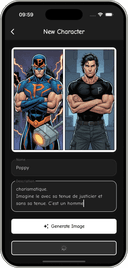
AI Comic Maker turns your ideas, photos, and stories into stunning comic artwork in seconds — no drawing skills needed. Pick from a wide range of art styles including manga, manhwa, webtoon, anime, American superhero, and cartoon. Describe your scene or upload a photo, and the AI generates panel-ready comic art that matches your vision. Features: - Multiple comic styles: manga, manhwa, anime, webtoon, superhero, cartoon - Photo-to-comic transformation with one tap - Text-to-comic generation from descriptions - Custom characters, outfits, expressions, and scenes - Consistent generation - Multi-panel comic layouts - High-resolution downloads - Direct social sharing Perfect for hobbyist creators, comic fans, manga fans, and storytellers who want to make comics without drawing. Turn yourself into an anime hero, build a webtoon romance, or create a full superhero saga — all in seconds.
Frequently Asked Questions
Hush Touch is an AI voice-to-text application designed specifically for macOS, providing a fast and accurate dictation experience entirely on-device. It utilizes Apple's built-in dictation engines and enhances them with Apple Intelligence for improved accuracy. Users can activate dictation through Siri or a customizable hotkey, and the app processes speech locally, ensuring privacy and eliminating the need for cloud services. Hush Touch also features adaptive learning, allowing it to remember user-specific vocabulary and preferences.
Hush Touch offers several key features, including seamless integration with Siri for hands-free dictation, a smart text processing pipeline that removes filler words and auto-corrects speech patterns, and support for emoji dictation. It also provides four context modes—General, Email, Code, and Notes—to optimize recognition based on the writing context. Additionally, it allows users to store custom vocabulary and phrases, ensuring a personalized dictation experience.
Yes, Hush Touch is designed with privacy as a foundational principle. It operates entirely offline, meaning all speech processing occurs locally on your Mac without any cloud dependency. There are no network requests, analytics, or user tracking involved, ensuring that your data remains private and secure.
Hush Touch is available for a one-time purchase of $20 for a lifetime license. This pricing model eliminates the need for subscriptions while providing users with professional-grade AI dictation capabilities.
Hush Touch requires macOS 26+ for its dual-engine mode and macOS 15+ for the classic engine. This ensures that users can take full advantage of the app's advanced features and functionalities.