Best Video Transcription Tools
This list includes video transcription tools designed to convert spoken content from videos into written text. These tools enhance accessibility and facilitate content creation by providing accurate transcriptions for various applications.
Frequently asked questions
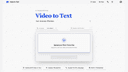
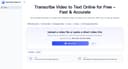
The best video transcription tools include 'Video to Text' and 'Transcribe Video AI'. 'Video to Text' is an AI-powered service that offers fast and accurate speech-to-text conversion, supporting multiple languages and providing features like speaker diarization and timestamped output. 'Transcribe Video AI' is a free tool that requires no login and quickly converts videos into transcripts, summaries, and mind maps, making it ideal for extracting key insights from longer videos.
'Video to Text' offers several features including multi-language support, speaker-aware transcription, timestamped output, and flexible import and export options. It is designed for creators and teams who need a fast and accurate transcription service without the hassle of setting up their own pipeline.
Yes, 'Transcribe Video AI' is completely free to use with no hidden costs. Users can start using the tool instantly without the need for any login or signup, making it accessible for anyone looking to convert videos into structured text.
While 'Transcribe Video AI' is a powerful tool, it does have some limitations. Large or very long videos may take longer to process, and the advanced customization options are still being improved. Additionally, the accuracy of summaries may vary depending on the quality of the video.
'Video to Text' includes a feature called speaker diarization, which allows the tool to identify and differentiate between multiple speakers in a video. This is particularly useful for transcribing interviews or panel discussions, as it provides clarity on who is speaking at any given time.