Home
Auto list · updated automatically

Best AI Video Editors

Cut, caption, and clean up — the AI does the tedious part.

AI video editors that trim, caption, remove backgrounds, and assemble clips automatically — pro-looking results without the timeline grind.

12Items
0Contributors
0Votes
Sort by
  1. 1remove bg video

    Remove background from any video automatically using AI. Upload your video and get a clean cut-out with transparent or custom background in minutes — no green screen, no After Effects, no manual masking. Perfect for content creators, marketers, online sellers, and educators who need fast, professional video results without learning complex editing tools.

    0
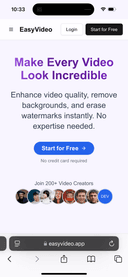
  2. 2Easy Video

    EasyVideo: AI-Powered Video Editing Tools EasyVideo is an AI-driven platform that helps you: -Remove video backgrounds effortlessly for professional content. -Erase watermarks while maintaining high video quality. -Enhance video quality with advanced AI upscaling. With lightning-fast processing, user-friendly design, and secure content handling, EasyVideo is trusted by 200+ creators to transform videos in seconds. Perfect for professionals and beginners alike!

    0
  3. 3Selects

    Selects is an AI-powered assembly edit tool that helps creators and teams speed up video prep. It auto syncs video and audio, organizes footage into scenes automatically, and builds a ready-to-edit assembly cut timeline in NLEs, including Premiere Pro, DaVinci Resolve, and Final Cut Pro. Perfect for podcasts, interviews, social content, and more, Selects turns long footage into ready-to-edit timelines. Whether you're batch filming or trying to hit weekly uploads, Selects helps you get into the creative part of editing fast.

    0
  4. 4BlitzCut

    Our Mission Make professional video editing accessible to every content creator. • Speed matters more than feature count • Mobile-first is the future of editing • AI should automate tedious work, not replace creativity • Creators should focus on creating, not editing What We Built BlitzCut AI is the fastest AI video editor for social media content. Automatic Silence Removal AI removes all pauses instantly AI Captions 95%+ accuracy with viral styles Text-Based Editing Edit video by deleting sentences from transcription 2-Minute Workflow Import to export in under 2 minutes Mobile-First Built for iPhone, iPad, and Mac Why We Built This The Problem Traditional video editing is too slow for the creator economy. Manual silence removal takes 15-20 minutes. Manual caption styling takes 15-20 minutes. Daily posting becomes impossible. Our Solution Automate the tedious work with AI. Total editing time: 2 minutes per video. Daily posting becomes sustainable.

    0
  5. 5Premiere Assistant

    Premiere Assistant is an AI-powered plugin for Adobe Premiere that helps editors create clean automated rough cuts faster, without leaving Premiere. It automates repetitive early-stage editing tasks like transcription, silence removal, filler word cleanup, automated caption creation, and text-based editing, allowing editors to quickly shape raw footage into a usable rough cut. Instead of manually scrubbing timelines, editors can edit by text and let Premiere Assistant handle the cleanup. Designed for interviews, podcasts, and talking-head content, Premiere Assistant keeps editors focused on structure and pacing while reducing time spent on mechanical edits. It works natively inside Premiere Pro and fits seamlessly into existing workflows, no exports, no external prep tools.

    0
  6. 6Podcast Clip Maker

    Podcast Clip Maker is your all-in-one solution for enhancing your podcast's online presence. Our AI-powered tool transforms your audio content into engaging video clips effortlessly. With Podcast Clip Maker, you can quickly create shareable snippets that capture the essence of your episodes, helping your podcast reach new audiences across various platforms. Say goodbye to time-consuming editing and hello to a streamlined process that lets you focus on what matters most – creating great content for your listeners. Boost your podcast's reach and popularity with Recast Studio’s Podcast Clip Maker. Our easy-to-use AI tool helps you create eye-catching clips and teasers from your episodes. These short videos can be shared across social media, attracting new listeners and keeping your current audience excited for more. Whether you want to grow your fanbase, promote upcoming episodes, or make your content more shareable, Recast Studio simplifies the process. Turn your podcast into must-see content with just a few clicks. Features: - Automatic captions - Design your own templates - Autoreframe - Remove filler words and pauses in one click - Create clips in multiple formats for all social media platforms

    0
  7. 7Caption.IM

    In the fast-paced digital landscape of social media and content creation, the ability to capture and retain audience attention is paramount. Video content has become the undisputed king of engagement, yet a significant portion of viewers consumes video in environments where audio is either unavailable or inconvenient, such as public transit, offices, or quiet spaces. Furthermore, accessibility remains a crucial pillar of modern content strategy. This is where Caption.im—a specialized tool available on the Apple App Store—steps in to bridge the gap between raw video footage and highly engaging, accessible, and professional-grade content. At its core, Caption.im is designed as a powerful utility for creators, small business owners, and digital marketers who need to add professional animated subtitles to their videos with minimal effort. The application leverages advanced speech-to-text artificial intelligence to automatically transcribe the spoken content within a video, transforming chaotic audio into structured, readable, and visually appealing text overlays. This process eliminates the tedious, manual labor historically associated with closed captioning, allowing creators to produce polished content in a fraction of the time. The application’s workflow is built around efficiency and user-friendliness. Users can simply import their video files—whether from their camera roll, cloud storage, or external URLs—and initiate the auto-transcription process. Once the AI has generated the captions, the app offers a comprehensive suite of customization tools. Creators are not limited to generic, static text; instead, they can select from a wide array of dynamic, animated caption styles, fonts, colors, and layouts. This flexibility ensures that the subtitles do not just serve as a utility but actually contribute to the overall aesthetic and branding of the video. The ability to style a caption allows the text to pop, move, and emphasize specific words, which is a proven tactic to maintain viewer interest throughout short-form content like TikToks, Instagram Reels, or YouTube Shorts. Beyond mere aesthetics, Caption.im provides the functional tools necessary for professional refinement. Users can perform one-tap caption editing to tweak individual lines or correct minor transcript errors on the fly, ensuring that the final output is 100% accurate. For those who require specific file formats, the application supports flexible exporting options, including embedded hardcoded subtitles, raw text files, or standard .srt files, which are essential for SEO-friendly video indexing on major platforms. Accessibility is a major value proposition of the app. By providing dynamic closed captions, creators can reach a significantly broader audience, including those with hearing impairments and non-native speakers who benefit from reading along. Moreover, the app is highly optimized for performance on Apple devices, ensuring that even intensive AI-processing tasks run smoothly without draining resources unnecessarily. In summary, Caption.im is more than just a captioning tool; it is an essential piece of infrastructure for any modern video creator. By automating the technical hurdles of transcription and design, it empowers users to focus on what truly matters: storytelling and connection. Whether you are aiming to increase your reach on LinkedIn, maximize engagement on TikTok, or simply ensure your message is received clearly across all environments, Caption.im provides the necessary tools to turn every clip into a professional, accessible, and impactful piece of media. As the demand for inclusive and captivating video continues to rise, tools like this become indispensable for navigating the complexities of digital content creation.

    0
  8. 8Image to Image AI

    Powerfully edit and reimagine any image. Enjoy AI image editing, professional outputs, and seamless creativity delivered instantly — not just image editing, but a one-stop AI platform for both images and videos. 1.Product Overview Powerfully edit and reimagine any image. Enjoy AI image editing, professional outputs, and seamless creativity delivered instantly — not just image editing, but a one-stop AI platform for both images and videos. 2.Key Features - Image & Video Transformation: Convert existing visuals into new, high-quality styles with AI - Image & Video Generation: Create stunning, original content from scratch powered by AI - Image & Video Editing: Enhance, retouch, and refine media with professional AI tools - Image & Video Effects: Unleash creativity with powerful AI effects - Instant Free Access: No signup, daily credits - Free Storage: Free, permanent, and unlimited storage to save your images and videos 3. Use Case - Instantly transform existing photos and videos into new, high-quality creations with AI. - Create stunning AI-generated images and videos instantly for your projects. - Enhance, restyle, or reimagine your media for branding, content creation, or personal projects. 4. Target Audience - For creators who need quick, AI-generated images and videos for content, marketing, and design. - For professionals seeking AI-powered tools to edit, enhance, and transform visuals. - For artists and innovators exploring AI to create unique, high-quality visuals effortlessly.

    0
  9. 9EchoWave

    Echowave is an online video editor that allows users to edit videos directly in their web browser without any software installation. With its intuitive interface and robust editing tools, Echowave makes video editing accessible and convenient for everyone. Key Features Cloud-Based Editing: Edit videos online without the need to download or install any software, accessible from any device with internet connectivity. User-Friendly Interface: An intuitive design that simplifies the video editing process for beginners while offering advanced features for professionals. Benefits Saves Time and Resources: Start editing instantly without installing software, saving both time and storage space. Easy Collaboration: Share projects with team members and collaborate in real-time, enhancing productivity and teamwork. Use Case A freelance content creator needs to quickly edit and publish videos for social media platforms. Using Echowave, they can efficiently edit videos online and share them directly, streamlining their workflow without dealing with complex software.

    0
  10. 10SubtitlesFast

    Increase your content reach and watch time 🚀 Boost Engagement - Subtitles make your videos more engaging Custom Styling - Match your brand perfectly Accessible - Subtitles make your videos more accessible to a wider audience No Installation - Works entirely in your browser Boost Engagement - Subtitles make your videos more engaging Custom Styling - Match your brand perfectly Accessible - Subtitles make your videos more accessible to a wider audience No Installation - Works entirely in your browser

    0
  11. 11SeeVR2

    SeedVR2 is an advanced AI upscaler for both video and image restoration. It helps users upscale to 4K/8K, remove artifacts, reduce noise, and recover fine details with one-step diffusion technology. The product runs fully online, so users can get high-quality results without local GPU hardware or complex ComfyUI setup.

    0
  12. 12Capcut APK

    As mobile editing replaces desktop workflows, flexibility becomes a priority for creators. Many users turn to download capcut apk to install the app directly on their Android devices. This method is often chosen when official stores are unavailable or restricted. By deciding to download capcut apk, creators gain more control over updates and system compatibility. This can be useful for older phones or customized Android setups. Still, security awareness is essential. Before attempting to download capcut apk, users should always verify file sources and permissions. When installed safely, CapCut continues to offer reliable tools for fast, high-quality mobile video editing.

    0
Good to know

Frequently asked questions